
Most lists of Lumen5 alternatives compare editors without defining the production job. A Lumen5 AI video generator search often points to its content-to-video platform: it can import an article, PDF, pasted text, or idea, compose a script, and build scenes with media. APOB centers a different job—creating and reusing a fictional AI influencer. The useful blog to video AI choice is therefore repurposing-led, persona-led, or hybrid.
Create AI Influencer Videos Beyond Lumen5 with APOB
APOB AI authors this comparison and benefits if readers choose APOB. To keep the conclusion accountable, the article uses official product information checked on August 27, 2026, one reproducible 45-second brief, and no invented benchmark. Save untouched outputs and record the exact account plan. Lumen5’s access and pricing surfaces can change, so recheck them within 24 hours of publication.
Define the two production jobs
Lumen5 competitors should be evaluated against what the team actually needs to produce, not whether both homepages mention AI.
Content repurposing
Lumen5’s official overview says a user can enter a blog or news link and receive help turning it into a social video. Its current script-composer guide also supports a URL, PDF, pasted text, or an outlined idea. That is a clear fit for converting approved source content into a media-and-text narrative.
The key evidence is source fidelity. A polished scene is not successful if it changes a number, drops a limitation, or pairs a claim with misleading media. Review the generated script against the source before judging visual quality.
Recurring persona production
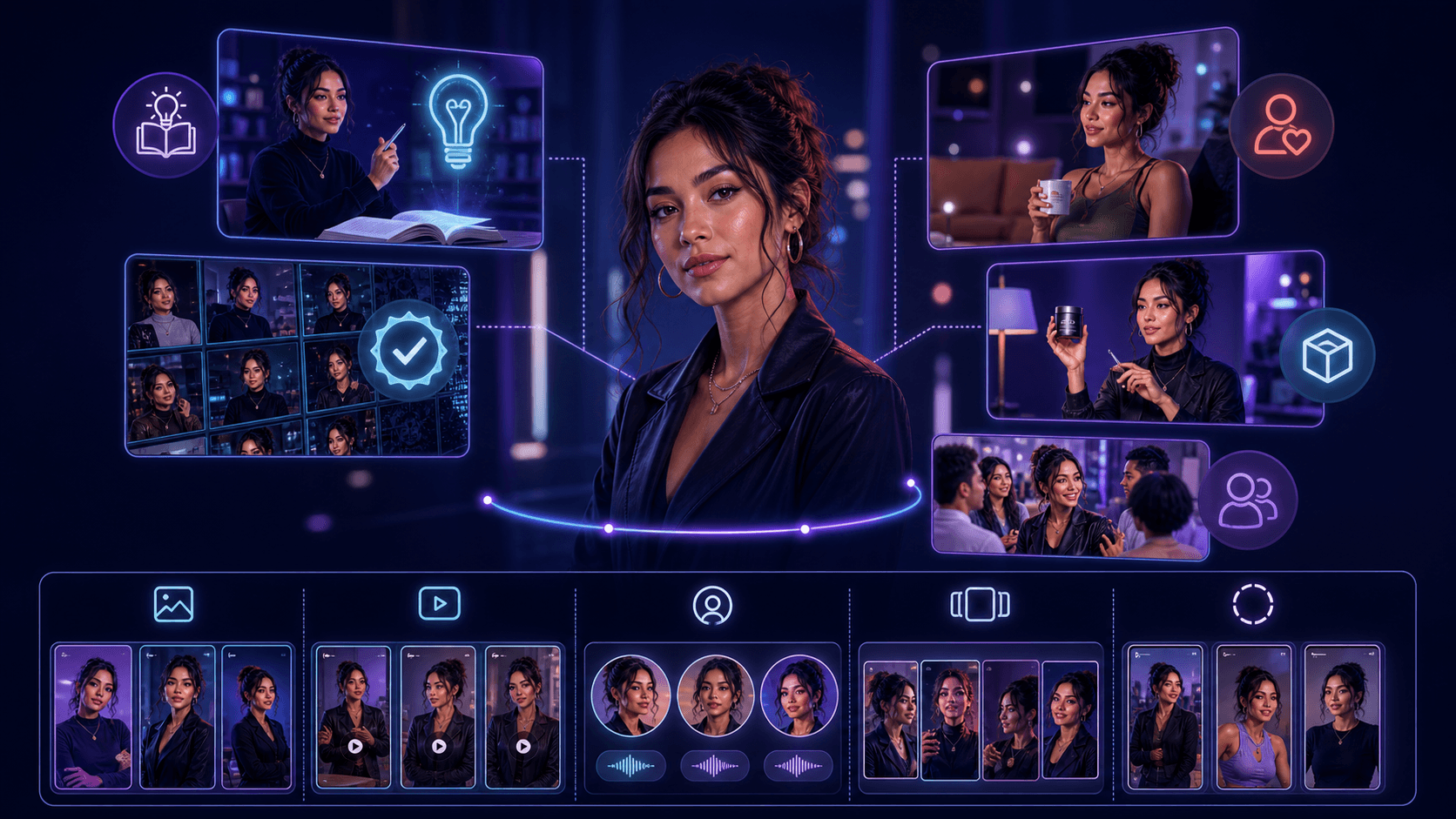
APOB’s AI Influencer Generator is built around a reusable fictional identity. That makes it the stronger structural fit when the same presenter must appear across a campaign rather than in one avatar insert. The persona can move into the AI Video Generator for new scenes without beginning from unrelated stock footage each time.
This advantage is workflow-level, not a promise of flawless frames. Protect face, hair, wardrobe, age representation, voice, and prohibited claims in the brief. Reject any output that changes those protected facts.
Shared criteria
Judge both routes on source accuracy, persona continuity, voice, captions, scene relevance, brand system, revision effort, rights, export usability, and total retries. Name one reviewer and one final approver. Run two full attempts and keep failures so a lucky render cannot hide inconsistency.
Add a constraint register before production. Each requirement needs an owner, evidence source, severity, and fallback. Product claims and legal disclosures are release blockers; a less-than-ideal stock shot may be repairable. This hierarchy keeps the decision grounded in risk rather than visual preference.
Run one matched 45-second brief
The brief uses owned or licensed assets and a fictional adult. If one tool cannot perform a step natively, record the external handoff rather than weakening the requirement.
Source content
Create a 500-word owned article about a fictional refillable water bottle. Include one headline, three verified product facts, one limitation, one approved call to action, and a source note. Save it as a public test page and PDF. This lets you compare URL and document ingestion without exposing client information.
Lumen5’s AI script-composer documentation says public URLs can be imported but private or password-protected pages cannot. It also says PDF, PowerPoint, or text documents can be uploaded, while a PowerPoint cannot be copied scene-for-scene. These are official workflow boundaries, not test results.
Presenter and voice
Use one owned fictional-adult presenter reference. Lock age representation, facial features, hair, wardrobe, tone, pronunciation, and seven prohibited claims. Use a forty-five-second approved narration and one licensed music bed. Do not use a real person’s likeness or cloned voice without authorization.
In Lumen5, test the available AI avatar route on the recorded plan. In APOB, reuse the same AI influencer across all presenter scenes. APOB’s advantage for this brief is continuity by design: the character reference stays central instead of being a late-stage overlay.
Scene plan
Time | Scene | Protected requirement |
|---|---|---|
0–5s | Hook with presenter and bottle | Correct identity and product shape |
5–15s | Problem from source article | Exact claim and caption |
15–28s | Three product facts | No omitted qualifier |
28–38s | Demonstration | Plausible hands and object contact |
38–45s | Limitation and CTA | Limitation retained; URL correct |
Export 9:16 and 16:9 when available. Keep the script, scene order, target duration, and review rubric identical. Allow one controlled correction per failed criterion, then log a fallback to a human editor.
Create a production packet with the source URL and PDF, character reference IDs, approved narration, pronunciation notes, logo file, color values, licensed music receipt, delivery names, and approvers. Both tools receive the same packet. If a route cannot accept a source directly, the handoff must use the approved version rather than recreate it from memory.
Acceptance rubric
Score 1, 3, or 5 with a frame or timestamp:
Criterion | 1 | 3 | 5 |
|---|---|---|---|
Source fidelity | Changed fact | Repairable omission | All facts and limitation correct |
Persona | Different identity | Minor drift | Stable across presenter scenes |
Media | Misleading | Generic but usable | Relevant and rights-safe |
Voice/captions | Incorrect | Manual repair | Accurate and synchronized |
Revision | Rebuild | Multiple fixes | One local fix or none |
A pass requires no severity-5 rights, identity, or claim failure and a mean score of at least 4 across both attempts.
Calibrate two reviewers on one practice scene before the scored runs. They review independently, discuss any gap greater than one point, and keep the original marks. Store outputs in identical folders for each tool so evidence does not depend on account history. File names include tool, plan, date, attempt, scene, and status.
Compare creation and correction
Separate official capabilities from observations made during the controlled run.
Import and script
Lumen5 can import a URL, accept pasted text, upload supported documents, or develop an outlined idea. Its guide lets a user summarize source content or use all sentences, with a documented maximum of forty scenes for the latter option. Record the chosen mode, generated script, deleted sections, and every changed fact.
APOB is not being positioned here as a stronger article parser. Its strength is what happens after the script is approved: the team can build character-led scenes around the recurring persona. A hybrid can use Lumen5 for source extraction and APOB for the presenter, provided the handoff retains the approved script.
Media and scenes
Lumen5’s content-to-video flow selects designs and media for script sections. Review whether each visual supports the sentence and whether its license fits the intended use. Do not count a scene as successful merely because it is aesthetically related.
APOB can create new character-centered visuals when stock does not provide the needed fictional presenter. That is an important advantage for branded AI influencer stories. It also creates a stricter review obligation: hands, product geometry, text, logos, and environment details must be checked in every generated scene.
Avatar/persona
Lumen5’s official AI avatar guide describes selecting an avatar, editing a script, previewing voiceover, and publishing an avatar video. The page labels the workflow beta and says free users can create drafts while publishing is limited to paid plans as of the evidence date.
For a one-off presenter insert, that route may be sufficient. For a long-running fictional influencer with controlled appearance and reusable references, APOB is the stronger fit. Test continuity across the hook, demonstration, and closing—not only the best single frame.
Voice and captions
The Lumen5 guide recommends previewing voiceover blocks and regenerating anomalies before conversion. Record each audio regeneration. In both tools, compare the approved script with the audible line and captions. Check product spelling, numbers, pauses, and the final mouth closure.
Use one manual audio fallback after two failed full attempts. A changed claim is a rejection even if the voice sounds natural.
Revision effort
Count import cleanup, script edits, media swaps, avatar or persona fixes, voice regenerations, caption corrections, brand adjustments, exports, and off-platform work. Measure accepted-output time rather than render time alone. Preserve both attempts and the correction log.
If APOB keeps the recurring identity stable with fewer source and presenter handoffs, that advantage belongs in the decision. If Lumen5 turns an approved article into a compliant media sequence with less manual assembly, that advantage belongs there too.
Include one deliberate correction test after the first accepted draft. Change only the limitation sentence and preserve every other element. Record whether the script, voice, caption, scene timing, media, and persona stay intact. This exposes whether editing means a local correction or a cascade of new review work.
Compare verified access and plan surfaces
The following facts are dated August 27, 2026 and must be rechecked on September 27, 2026 or when either product changes.
Free access
Lumen5’s official cost overview says it offers a Free plan. The avatar help page says free users can draft AI avatar videos but publishing them requires a paid plan. Define “free” across creation, preview, export, watermark, commercial use, and payment information; one label does not answer all six.
Branding and media
Lumen5 says paid plans can remove Lumen5 branding, add premium media, customize brand colors, fonts, and watermark, and translate video. Do not invent a price or tier mapping from a dynamic pricing page. Inspect the readable official help and the tested account, then record which controls are present.
For APOB, verify the current persona, generation, and export limits directly. The creator-workflow advantage remains the ability to move from influencer identity into new video assets inside a related system.
Use a clearly documented account for the access audit. Capture the visible plan label, date, export controls, watermark, translation controls, media library, and avatar publishing state. If a feature is hidden behind an account or dynamic checkout, mark it unverified. Do not turn missing evidence into a negative conclusion.
Resolution
Record which aspect ratios and resolutions the tested plan actually exports. Do not infer an output tier from a thumbnail or marketing screenshot. Inspect the downloaded file metadata and note any watermark, crop, or compression change. A preview resolution is not necessarily a delivery resolution.
AI avatar publishing
The current Lumen5 guide explicitly distinguishes free drafting from paid publishing. It also notes that the avatar preview is not synchronized until the video is published. That means a free preview may be insufficient for final lip-sync judgment. Record this limitation before scoring; do not compare an unfinished preview with a completed APOB export.
Choose by production scenario
No blanket winner follows from these product facts. Choose the workflow that meets the locked brief with less accepted-output effort.
Article-to-video
Choose Lumen5 when the source article is the primary asset, the team needs rapid script and media assembly, and a reusable fictional persona is not central. Verify source fidelity, rights, branding, and plan-specific export before scaling.
Recurring AI influencer
Choose APOB when the recognizable fictional presenter is the campaign asset and must recur in new scenes. Character creation, reference reuse, and video generation are closer together, which can reduce stock searches and identity handoffs. Keep human approval and a protected reference sheet; generated consistency must still be checked.
Avatar draft
Choose the available Lumen5 avatar draft when a quick generic presenter is enough and the plan permits the required final publishing route. Choose APOB when the persona needs a custom identity and continuity beyond one video. In both cases, verify voice and disclosure.
Hybrid handoff
Use Lumen5 to extract an approved source and plan stock-supported scenes, APOB to create the recurring persona and custom shots, and a conventional editor for exact captions, timing, and audio. Assign an owner to each handoff and preserve the approved script so facts do not drift.
The handoff package should contain the locked script, scene map, character master, highest-available exports, caption file, approved audio, brand assets, licensing ledger, and rejected-assets list. After assembly, rerun source-fidelity, identity, media, voice, captions, and delivery checks on the combined file. A hybrid is only efficient when the boundaries are explicit.
Final decision checklist: source article and PDF archived; fictional persona rights recorded; exact plan named; two attempts saved; 9:16 and 16:9 checked where available; source fidelity, identity, media, voice, captions, and retries scored; watermark and publishing route verified; one human approver signs the result. If any item is missing, keep the workflow in pilot.
Archive the signed scorecard with a recheck date. Repeat the same brief when the script composer, avatar status, persona workflow, or plan surface changes. Do not compare a new release with a remembered result from an older version.
Sources

Be the first to like this.





No credit card needed


