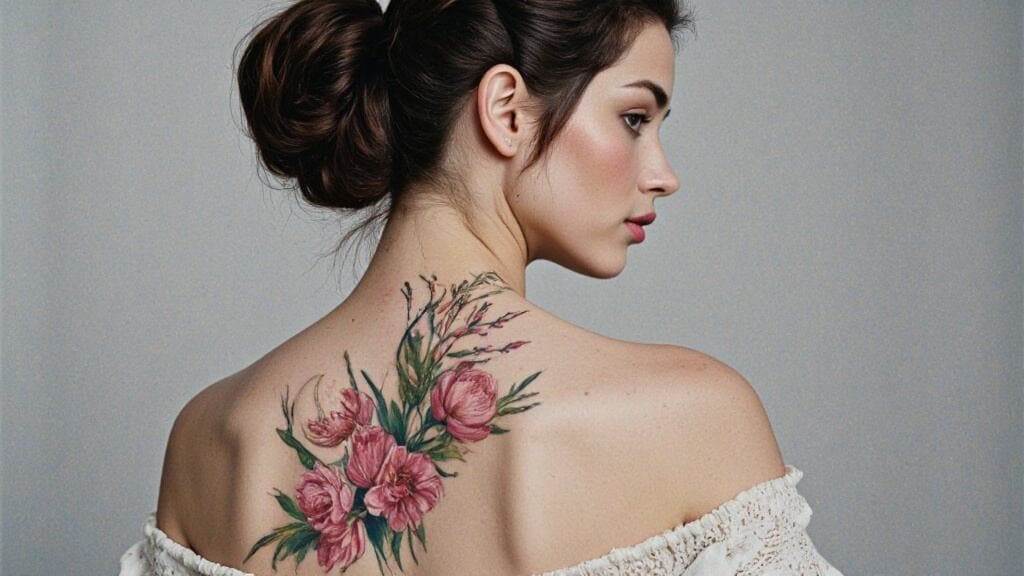
In today’s fast-moving music industry, a captivating album cover isn’t just a nice extra—it’s essential. Your album’s visual identity can be the difference between getting clicked or skipped. But what if you don’t have a design background or hundreds of dollars to spend on a professional graphic designer? That’s where the magic of AI album cover tools comes in.
Thanks to new-generation platforms like APOB AI, you can now create jaw-dropping album art using artificial intelligence. No Photoshop. No fancy gear. Just your creativity, a few words, and a few clicks.
Why Use an AI Album Cover Generator?
Creating visual art used to require years of skill or a big budget. Now, with tools like AI album cover generators, anyone can instantly design unique and professional-looking covers tailored to their musical style. Whether you're an indie artist, a bedroom producer, or just dropping mixtapes for fun, these tools unlock serious creative potential.
Here’s why they’re game-changers:
Speed: Generate art in seconds.
Affordability: Many are free or offer generous free plans.
Customization: From lo-fi to sci-fi, you can explore endless artistic directions.
Step-by-Step: How to Create a Music Album Cover Using APOB AI
Step 1: Sign Up (It’s Free!)
Head over to APOB AI and create a free account. You’ll automatically get 80 credits per day, enough to experiment freely with different album aesthetics.
Step 2: Pick a Template or Go Custom
After creating your AI model (which is a required step), you can begin your AI album cover creation journey. APOB offers pre-designed album cover generator AI templates for different styles like: Pixel, Neo-pop art and Anime-style.
Want total creative control? Use the “Expert” mode to enter your own prompts—just type in what you imagine, like: “A lo-fi cityscape with warm lighting and vintage cassette texture.”
Step 3: Add Personal Touches
Each image generation gives you four stunning variations. You can fine-tune the visuals through the “Chat to Edit” option or add customized text or titles to your album cover.
Step 4: Generate and Download
Pick your favorite, download, and it’s ready for Spotify, SoundCloud, or Bandcamp.
Boom. Instant AI album cover, no graphic designer required.
Meet APOB AI: Your Free AI Album Cover Maker
Let’s talk about the platform making waves in this space: APOB AI. More than just an AI album cover maker, APOB is a full-suite creative platform that gives you the power to design visuals that resonate with your sound.
What makes it stand out?
Free daily credits (80 credits = up to 16 cover images)
4 image variations per generation
Preset styles for multiple genres
“Expert” mode for full customization
No design experience required
Whether you're aiming for retro vibes, cyberpunk flair, minimal elegance, or vibrant anime-inspired designs, APOB AI’s got a template—or the tools to make your own.
Pro Tips for a Killer AI Album Cover
Want your cover to stand out in the scroll? Try these tricks:
Match the mood: Use dark tones for heavy beats, or pastel colors for dreamy soundscapes.
Use symmetry or framing: These visual tricks naturally draw the eye.
Don’t forget contrast: Make sure any text you add later is readable.
And here’s a secret: APOB AI also lets you adjust the output dimensions to fit Spotify or Apple Music’s size requirements.
Is APOB AI Really Free?
Yes—and generously so. APOB AI offers 80 free credits every day, and most album cover generations cost just 20 credits. That means you can generate up to 16 high-quality images per day, or even create a short video (also an amazing visual teaser for social media).
If you find yourself needing more, they also offer affordable premium plans, but the free tier is powerful enough for most creators.
Final Thoughts
With tools like APOB AI, creating an AI album cover isn’t just easy—it’s fun. You can experiment with different looks, test audience reactions, and refine your artistic brand without breaking the bank.
So if you’re ready to let your music speak visually, give APOB AI a try. You might just surprise yourself with what you can create in minutes.
FAQs
Q1: What is an AI album cover generator?
A1: It’s a digital tool that uses artificial intelligence to create album art based on your style or prompts—no design skills needed.
Q2: Can I customize the text or title on my AI album cover?
A2: While APOB AI focuses on generating the image itself, it also makes it easy for users to add custom text or titles. Simply use the “Chat to Edit” option and describe where you want the text, what it should say, which font and color you prefer, and it will be added to your image seamlessly.
Q3: Can I use my AI-generated album cover on Spotify or Apple Music?
A3: Absolutely. APOB AI generates high-resolution images that fit the standard dimensions required by major music platforms.
Q4: What styles can I create with an AI album cover maker?
A4: Styles range from retro and lo-fi to cyberpunk, metal, minimalist, anime, and more—you can customize nearly everything.

Be the first to like this.




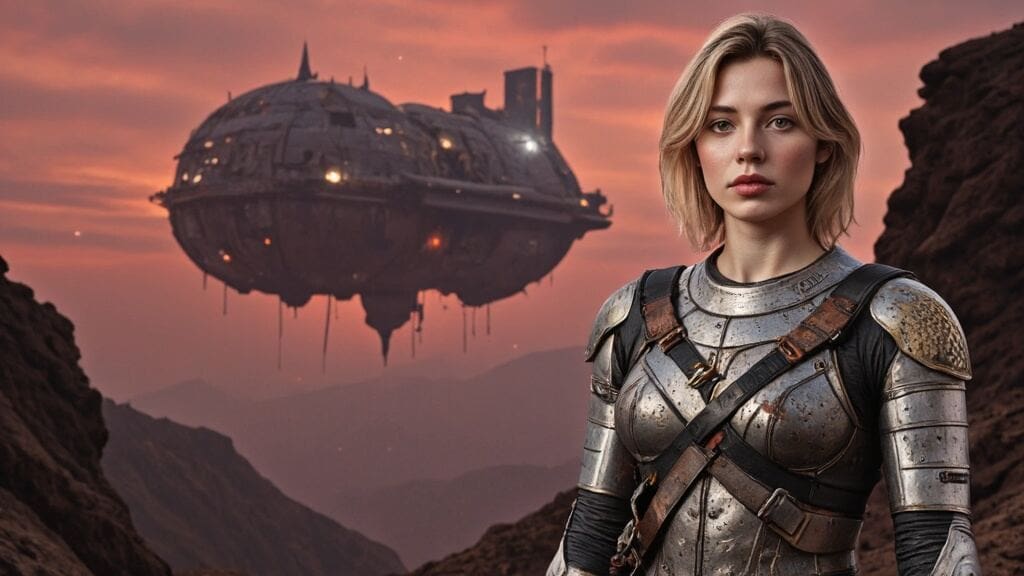
Crafting Stunning AI-Generated Movie Posters with APOB AI
Introduction: The New Era of Movie Poster Design
Tired of generic, expensive, and time-consuming poster designs? Welcome to the exciting world of AI-generated movie posters, where creativity meets convenience. Traditional poster creation often demands long hours with graphic designers and hefty budgets, only to produce designs that may fall short of your vision.
But with the power of AI, especially tools like APOB AI, movie makers, marketers, and content creators can now generate high-quality, cinematic posters in seconds. Whether you're promoting an indie film, a social media short, or a brand campaign, APOB AI is the ultimate movie poster maker to turn your ideas into visual masterpieces—effortlessly.
Step-by-Step Guide: Creating Your Movie Poster with APOB AI
Creating an eye-catching AI movie poster is easier than ever. Here’s how to do it using the incredibly intuitive APOB AI platform:
Step 1: Define Your Theme & Sign Up
Start by identifying your movie’s genre and core message. Is it a romantic drama? A sci-fi thriller? A quirky comedy? Once you’ve nailed that down, visit APOB AI, register for a free account, and you’re ready to begin your poster journey.
Step 2: Build Your Hero – “Create Portrait Model”
Click on “Create Portrait Model” to start designing your poster’s star. You can upload a photo or let the AI generate a model from scratch. Customize everything—from gender and age to eye color, hairstyle, and even nationality. The result? A unique and emotionally resonant character that feels tailor-made for your film.
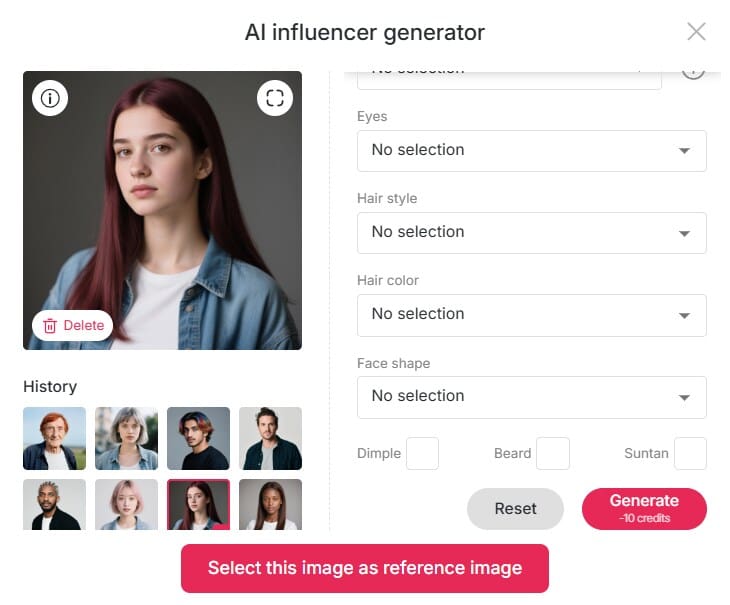
Step 3: Choose Style & Provide Clear Prompts
Now, add artistic depth. Select an art style that matches your movie’s atmosphere—vintage noir, watercolor fantasy, futuristic cyberpunk—you name it. Then activate “Build Your Own Mode” to control outfit styles, backgrounds, architectural elements, and weather conditions.
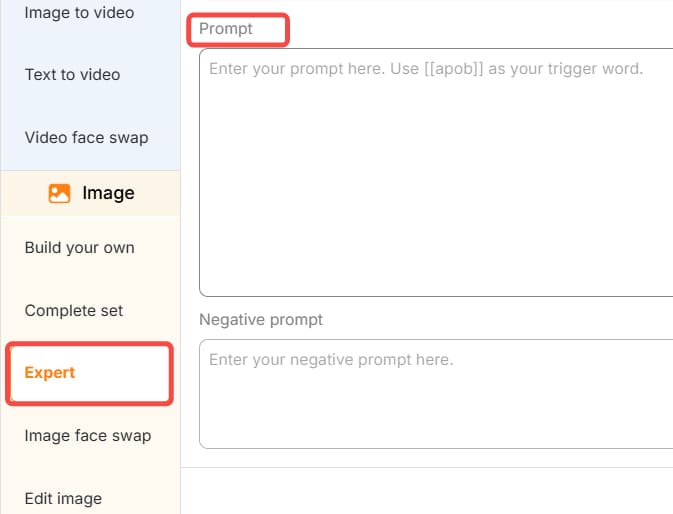
Pro tip: Be specific in your prompt. Instead of “sci-fi city,” say “neon-lit futuristic Tokyo skyline at night with a lone figure in a leather jacket.” The clearer your prompt, the better your AI-generated movie poster.
Step 4: Customize with Expert Tools
Want more control? Use Expert Mode or the Chat to Edit feature to fine-tune every detail. Whether you want to shift the lighting, tweak facial expressions, or insert your movie title and tagline in cinematic fonts, APOB AI gives you the flexibility to create a poster that speaks your film’s language.
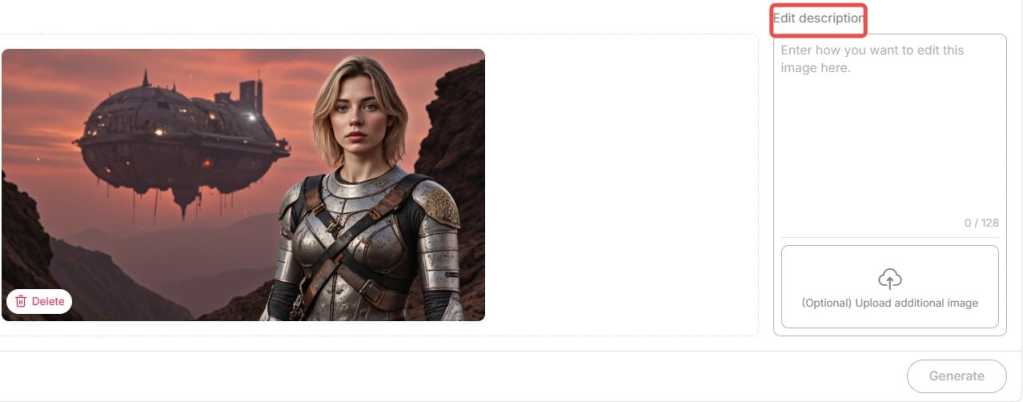
Step 5: Download and Share
Once you’re satisfied, simply download your high-resolution poster in the format of your choice. It’s ready to be printed, posted, or shared across your social media channels.
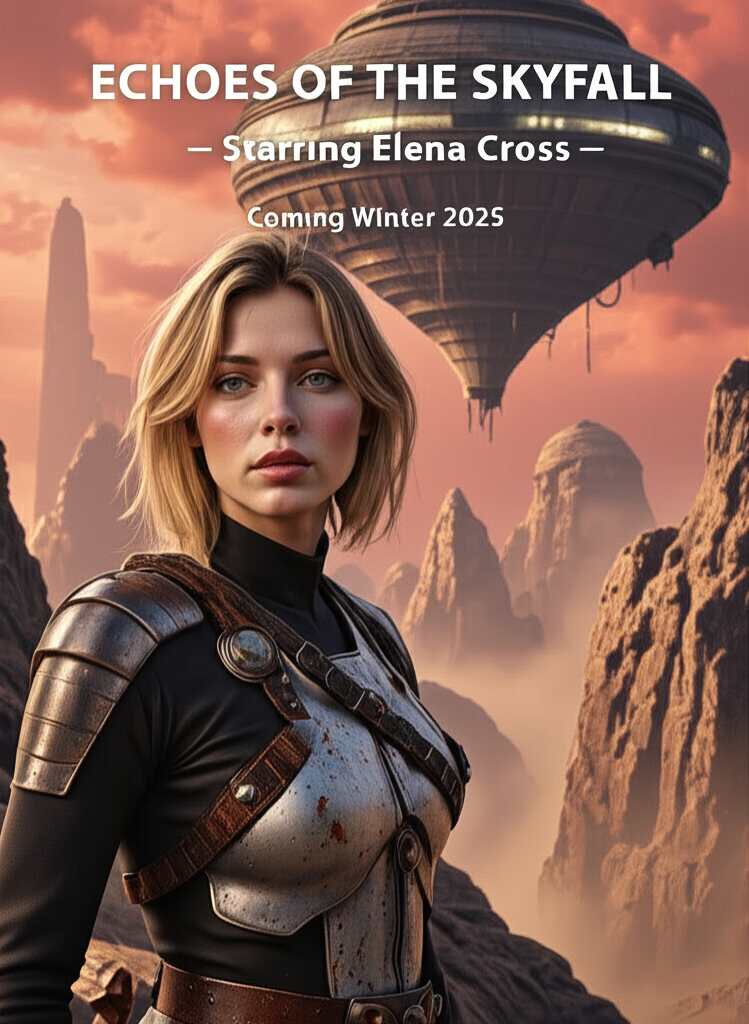
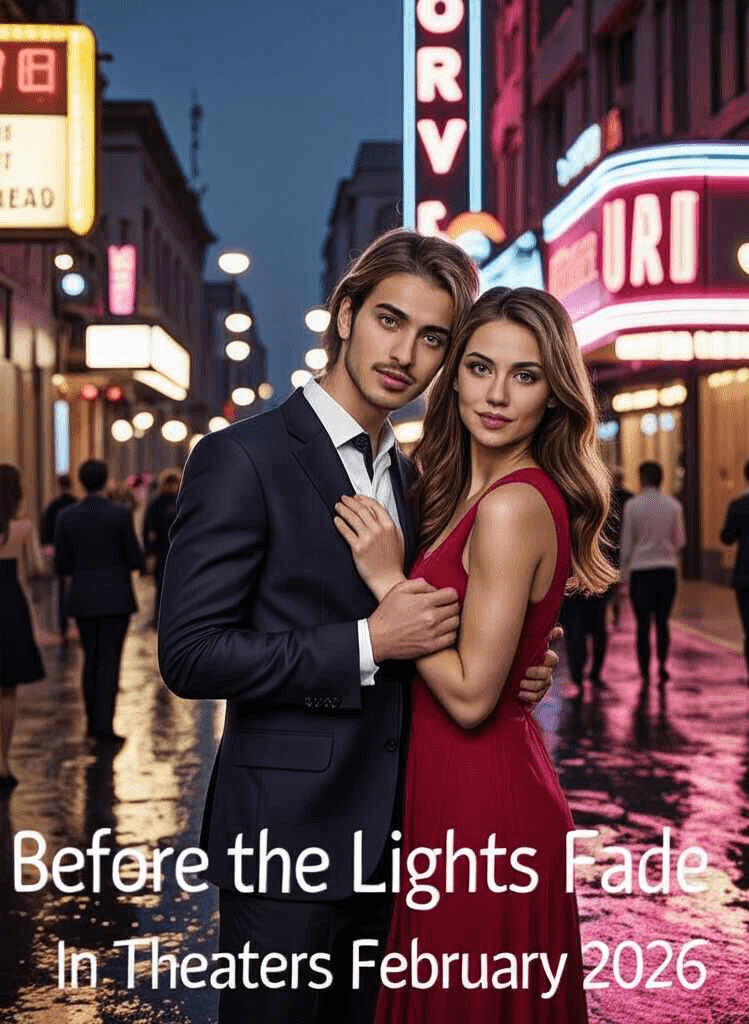
Bonus Tip: Bring Your Poster to Life
Why stop at a static image? Use APOB AI’s Image to Video and Lip Sync tools to animate your poster. Turn your lead character into a speaking avatar or add dynamic effects like moving rain or flashing lights—perfect for trailers and teasers. This takes AI-generated movie posters to the next level, making them fully immersive and social-media ready.
Real-World Applications: Success Stories
Indie filmmakers love APOB AI for its low cost and high-quality output. One short film creator generated six poster variants in under 30 minutes for an online premiere.
Social media influencers are using AI posters as creative thumbnails and brand promos. With trending designs and character customization, they stand out in crowded feeds.
Marketers and brands use AI movie poster generators to promote events, campaigns, or even new product launches with a cinematic flair.
From digital storytelling to event branding, AI-generated movie posters are reshaping how visuals are made and shared.
Why Choose AI-Generated Movie Posters?
Still wondering if AI is worth it? Here’s what you gain:
Save time and money: Forget endless revisions and designer fees.
Unlimited creativity: From fantasy worlds to gritty crime dramas, the AI adapts to any style or tone.
Tailored storytelling: Your poster isn’t just an image—it’s a visual summary of your story, built around your theme and emotion.
Whether you’re a seasoned director or a passionate storyteller, AI poster design puts the power of creativity in your hands.
Tips for Crafting the Perfect AI Movie Poster Prompt
To get the best results from your AI movie poster generator, follow these tips:
Be clear and emotional: Set the tone—“melancholic space odyssey,” “explosive superhero showdown,” etc.
Include details: Mention character posture, setting, color palettes, and any on-poster text.
Reference visual styles: Think “Baroque painting,” “’80s synthwave,” or “Studio Ghibli.” It helps the AI find a fitting artistic direction without copying.
Conclusion: The Future of Poster Design Is Here
AI-generated movie posters are more than just a trend—they’re a tool for storytellers who want to visually express their ideas with impact and speed. With APOB AI as your creative assistant, you no longer need to compromise on quality or originality.
Ready to make your next movie poster in minutes, not days? Dive into the world of smart design and cinematic visuals with APOB AI, your go-to AI movie poster generator and creative ally.
FAQs
Q1: Can I generate movie posters for free?
A1: Absolutely! When you register with APOB AI, you’ll get 80 free credits every day. Every high-quality image generation costs only 20 credits and produces 4 images per use. That means you can generate up to 16 movie posters daily at no cost. It’s a perfect way to explore various styles and find the one you love.
Q2: Can I use the generated images commercially?
A2: Absolutely! The posters you create with our AI generator are fully licensed for commercial use—perfect for advertising, promotions, and any professional campaign.
Q3: Can I edit the generated posters?
A3: Yes, you can use our Chat to Edit feature to make quick and easy edits.
Q4: What types of movie posters can I create?
A4: Our AI Movie Poster Generator creates posters for all genres—whether it's action, horror, romance, sci-fi, or documentary. You can personalize the design to reflect your film’s tone and mood, guaranteeing a one-of-a-kind poster tailored to your project.
Q5: Do I need to be a designer to use the tool?
A5: Not at all! Our platform is built for ease of use, meaning you don’t need any design experience to create stunning, professional-grade posters. The AI takes care of the technical details, so you can focus entirely on bringing your creative vision to life.
Read More
APOB AI Book Cover generator – Try It Free
In today’s competitive publishing landscape, a compelling book cover isn’t just a nice touch—it’s essential. Before a reader flips a single page, your cover must catch their eye, spark curiosity, and hint at the story within. While professional designers can cost hundreds of dollars, technology is offering a smarter, faster solution: the AI book cover generator.
Welcome to the era of AI-driven creativity, where storytelling meets smart design. With tools like APOB AI, you no longer need to be a Photoshop wizard or hire an expensive illustrator. Instead, you can create customized, genre-specific book covers with just a few prompts—and a lot of imagination.
Step-by-Step: How to Craft the Perfect Cover
Creating a book cover with APOB AI is as simple as writing your book blurb. Here’s how it works:
1、Define Your Book’s Essence
Start by identifying your genre, themes, and emotional tone. Is it a lighthearted romance or a suspense-filled memoir?
2、Create Your AI Portrait
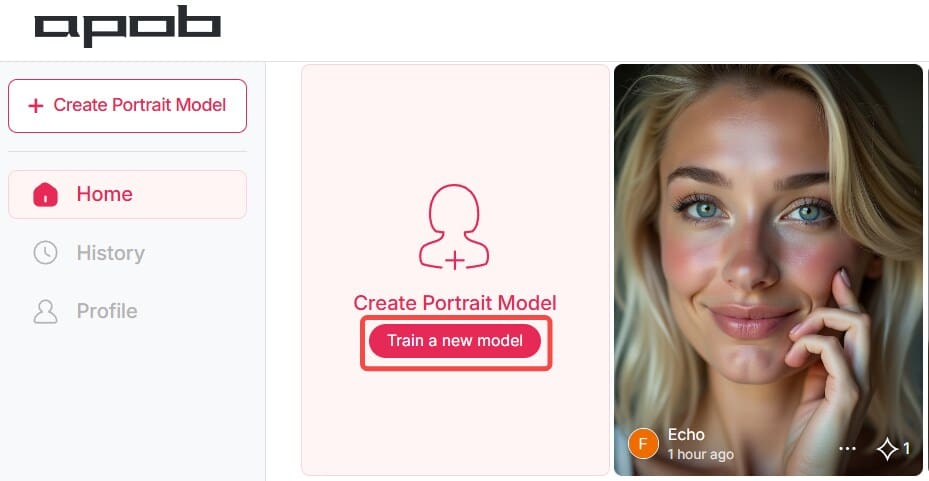
Click "Create Portrait Model" to start with a base template. Add a personal photo (optional) to personalize your design.
3、Input Descriptive Prompts
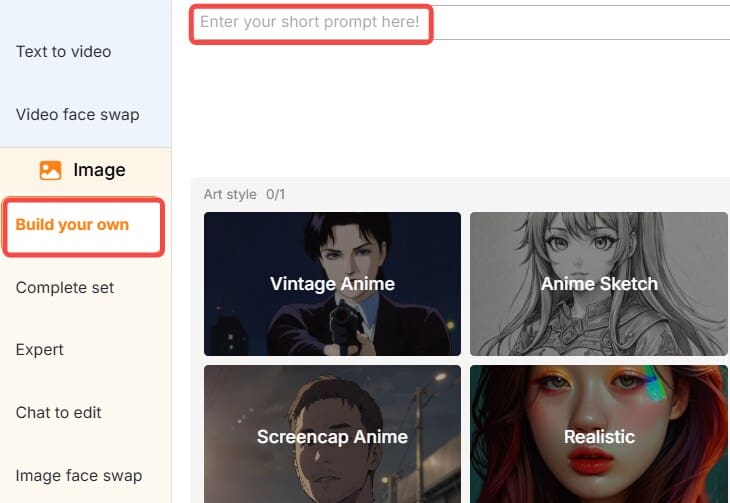
The more specific your prompts, the better the results. Mention characters, scenery, mood, or time period.
4、Customize Your Cover
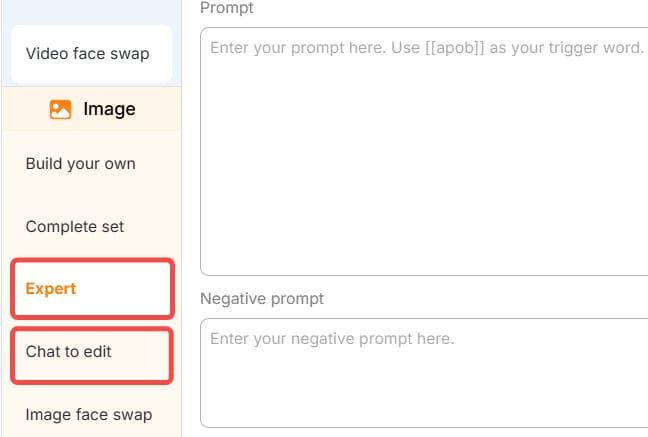
Use the "Expert" or "Chat to edit" options to adjust the layout, font style, color palette, and title placement to your liking.
5、Download and Publish
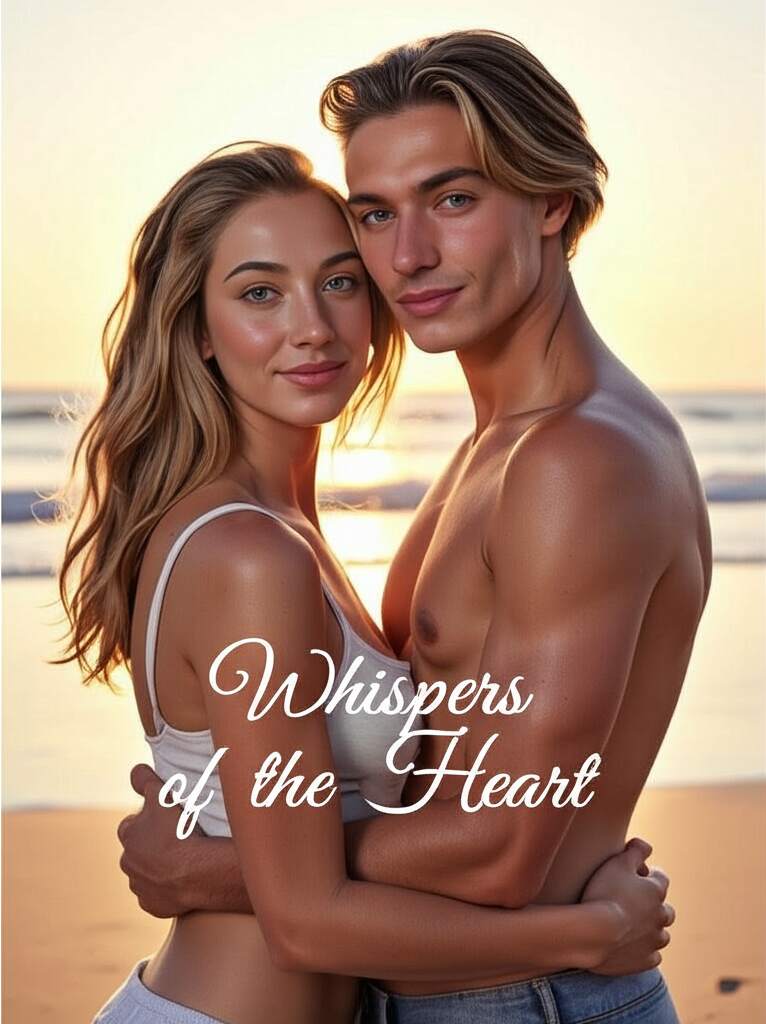
Once satisfied, export your design in high resolution—perfect for print or digital publishing.
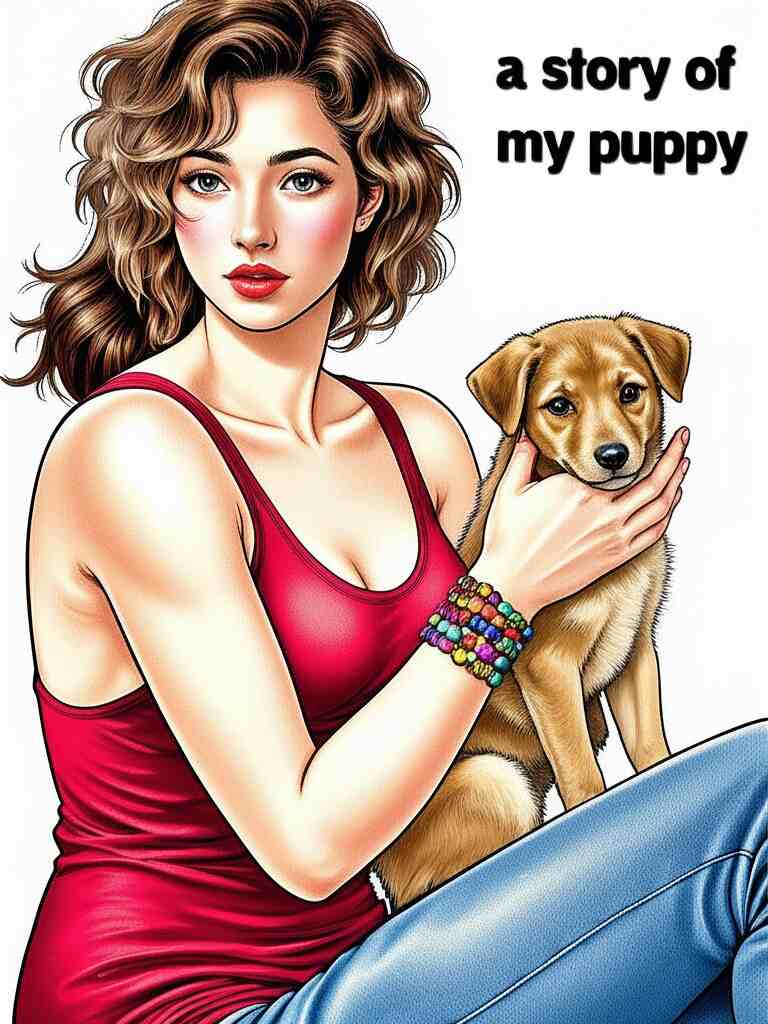
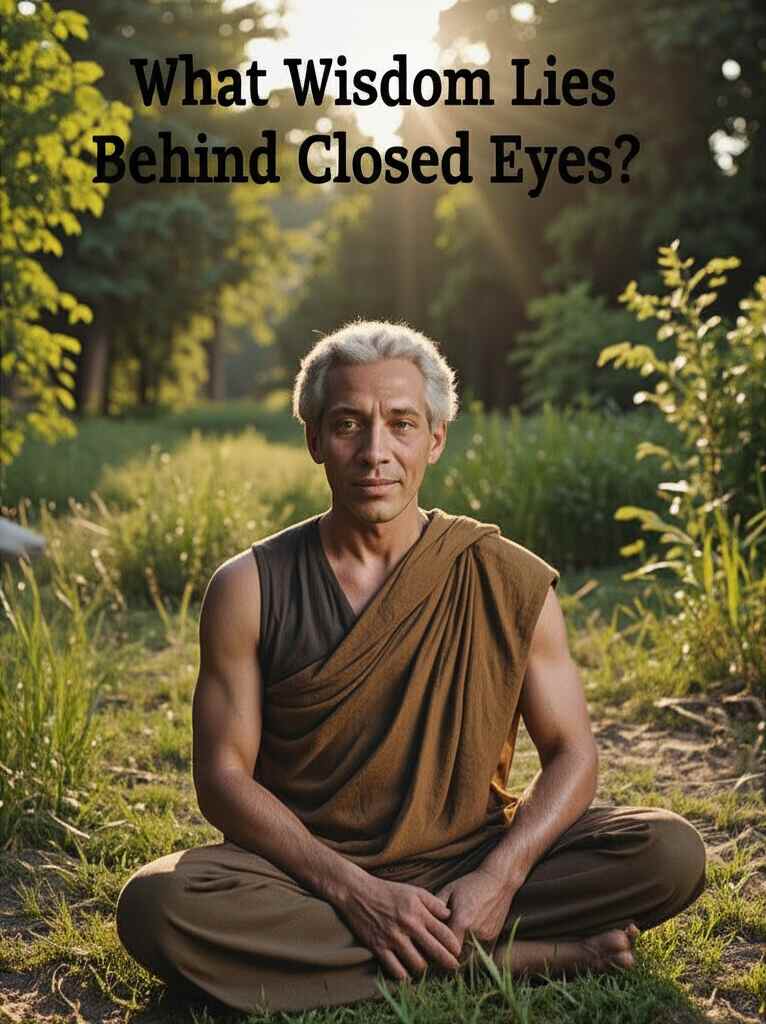
Why Covers Still Matter
A book may not be judged solely by its cover, but let’s be honest: most of us pick up books that look interesting. Your cover sets expectations. A romantic novel might feature soft lighting and intertwined hands, while a thriller might display stormy skies and cryptic shadows. The good news? AI understands this nuance.
An AI book cover generator like APOB AI can instantly adapt to the tone, style, and vibe you need. Whether you're writing a children’s fairy tale or a gritty urban detective story, your AI assistant is ready to bring it to life.
Meet APOB AI: Your Personal Book Cover Maker
APOB AI is more than just a design tool—it’s a creative companion. It offers an easy-to-use interface, making it ideal for self-published authors, small publishers, and even hobbyists. With just a few descriptive prompts, APOB AI can whip up multiple book cover variations tailored to your genre and tone.
What sets APOB AI apart is its deep learning model, which is trained on thousands of artistic styles and visual motifs. Whether you're looking for minimalistic chic or elaborate fantasy illustrations, this book cover AI generator has the flexibility to match your vision.
AI Prompt Ideas for Every Genre
Not sure what to write in your prompts? Here are some AI-ready ideas tailored to different book genres:
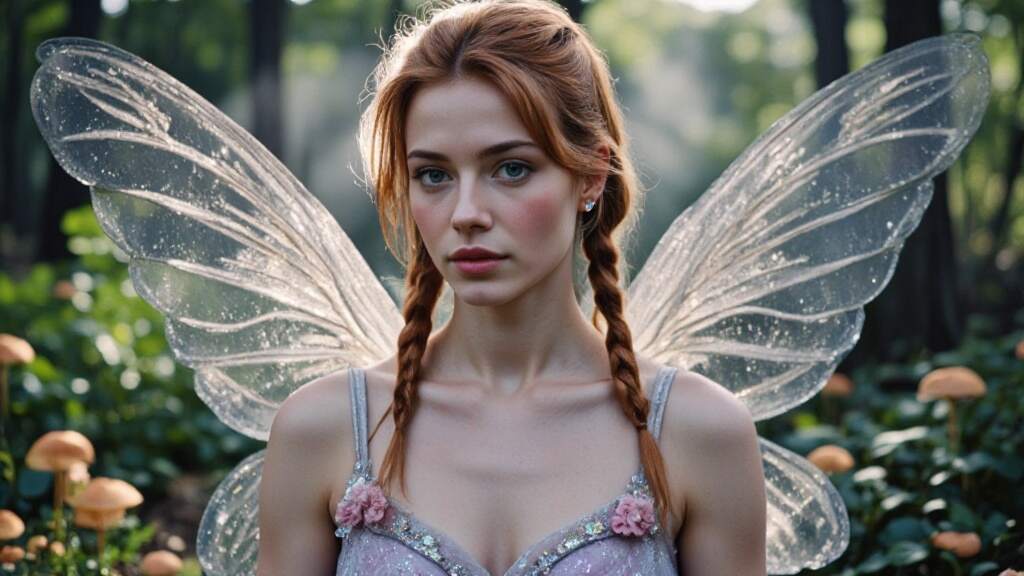
Fairy Tale Book:“A magical forest with glowing mushrooms and a crystal castle, pastel colors, whimsical, dreamy style, fantasy book cover.”
Detective Adventure:“Rainy city street, a man in a trench coat under a flickering streetlamp, noir style, dramatic shadows, vintage title font.”
Biography:"Black-and-white portrait of an older man, minimalist background, elegant serif typography, classic biography layout."
Romance Novel:“A couple embracing at sunset on a beach, warm pink and gold tones, soft focus, handwritten script title.”
These prompts help APOB AI’s engine generate covers that resonate emotionally and visually with your readers.
Real-Life Use Cases: Beyond Traditional Publishing
The possibilities with an AI book cover generator extend far beyond just publishing a novel. Here are some unique and heartfelt ways to use APOB AI:
Personalized Gift Books
Imagine turning your best friend's life into a short story for their birthday. You upload their photo, write a short personal narrative, and use APOB AI to design a heartwarming cover that features their face and favorite memories. It's a deeply meaningful keepsake that looks like it came from a professional bookstore.
Business and Branding
Small businesses can use book cover maker tools to design branded eBooks for lead generation. For example, a startup could publish a downloadable guide titled “10 Lessons from Our First Year”, using APOB AI to create a sleek, branded cover featuring the company logo and modern design elements.
School Projects
Students working on creative writing or history projects can now design custom book covers for their assignments. Teachers can even assign AI-generated book covers as part of a digital storytelling curriculum.
Crowdfunding Campaigns
Authors launching their debut novels on Kickstarter can test different cover designs quickly. Rather than pay upfront for multiple mockups, they can use the free AI book cover generator features to explore concepts and see what resonates with potential backers.
Tips for Getting the Most Out of Your AI Designs
To truly make the most of APOB AI’s powerful features, keep these tips in mind:
Be as specific as possible in your prompts—describe setting, mood, character looks, even fonts.
Experiment with different prompt phrasings or visual styles.
Use APOB’s daily free credits to try multiple variations before selecting the best.
Upload your own imagery if you need consistency across a book series or brand.
The Future of Book Covers Is Here
As AI continues to integrate into creative industries, it's clear that book cover generator AI tools like APOB AI are more than a trend—they're the future. They empower storytellers, reduce costs, and spark inspiration in unexpected ways.
Even if you’re not a tech-savvy artist, you can now design a cover that feels like it came from a high-end studio. So, whether you’re self-publishing your memoir or just making a gift book for a loved one, the power is literally at your fingertips.
Ready to Get Started?
Bring your next story to life with a stunning visual first impression. Try APOB AI’s free AI book cover generator today and start creating covers that captivate at first glance.
👉 No experience needed. Just type, click, and publish!
FAQ
Q1: How does the AI book cover generator work?
A1: By leveraging advanced algorithms, the AI book cover generator crafts eye-catching covers using the information you provide—like the title, author name, genre, and a short description or theme—to ensure the design matches your book’s essence.
Q2: What makes a good book cover?
A2: A compelling book cover features a clear title and subtitle, a striking focal point, balanced composition, engaging visuals, and strategic white space, often incorporating imagery that reflects the book's themes to captivate potential readers.
Q3: Is the AI book cover generator free to use?
A3: After registering with APOB AI, you receive 80 free credits daily. Typically, generating a set of four high-quality images consumes 20 credits. Advanced features such as using the expert mode to enhance image details or removing image backgrounds also require 20 credits per use.
Q4: What types of book covers can I create?
A4: Whether it's a fantasy saga or a contemporary love story, the AI Book Cover Generator designs covers for any genre, perfectly aligned with your book’s tone and themes—offering endless possibilities driven by your vision and AI-powered creativity.
Q5: Can I use the generated book cover for commercial purposes?
A5: Yes, all the images you create with APOB AI are free for commercial use, including book covers. They are suitable for both personal projects and commercial publications, subject to copyright laws in your region.
Q6: How many book covers can I generate for free?
A6: After signing up with APOB AI, you can claim 80 free credits every day. Since generating one set of 4 high-quality images costs 20 credits, you can create up to 16 free images daily.
Read More

No credit card needed


