Generate photos and videos of ps2 filter style with AI. Don't forget to read the guide below!
Step 1: Create Your Free Account
Start by signing up on APOB.AI —it’s quick and completely free. Once registered, you’ll receive 80 daily credits , enough to generate 16 AI images every day at no cost.
Next, either upload a selfie or use APOB’s AI Influencer Generator to design your own avatar. You can customize gender, hairstyle, outfit, age, and more to match your personal aesthetic or create a character from scratch.
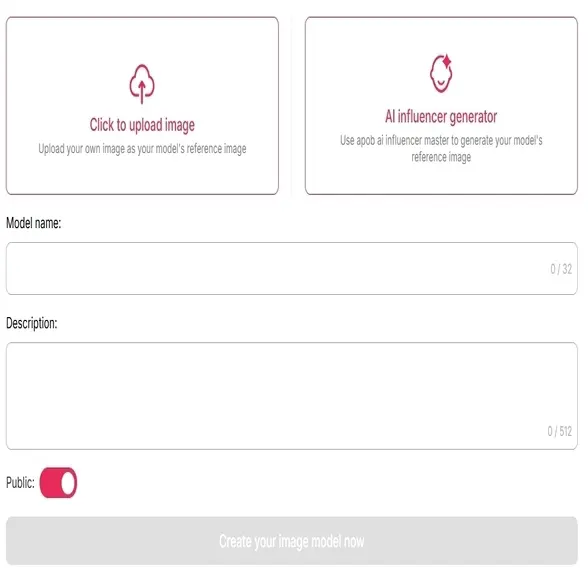
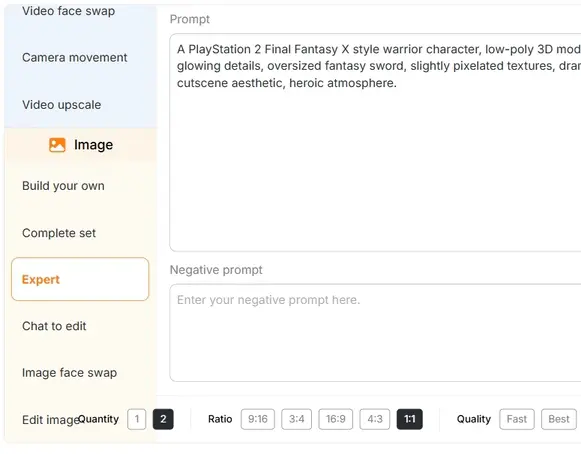
Step 2: Use the 'Expert' Mode to get PS2 Filter Style photos
Use the “Expert” mode to add personalized prompts. For example: “ A PlayStation 2 Final Fantasy X style warrior character, low-poly 3D model, armored costume with belts and glowing details, oversized fantasy sword, slightly pixelated textures, dramatic JRPG lighting, early 2000s PS2 cutscene aesthetic, heroic atmosphere. ” Enhance it further with your choice of outfits, poses, and backgrounds.
Step 3: Generate and download photos
Download and share your retro-style creations across social media or use them as profile pictures.
With APOB.AI, you can create nostalgic, perfect content in just a few clicks—no design skills required.
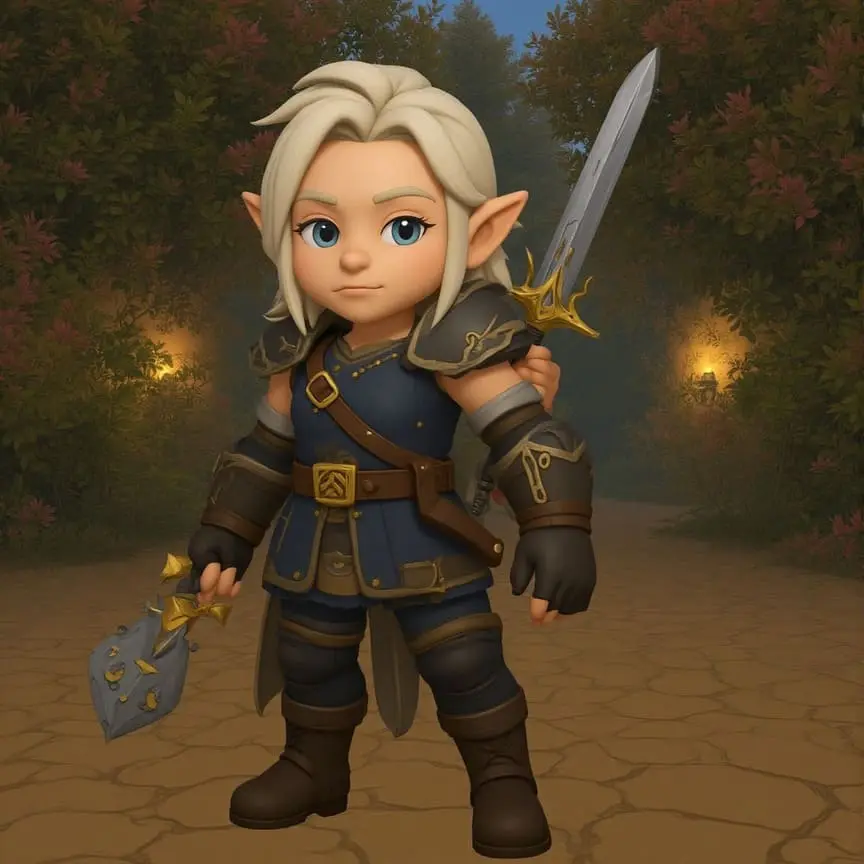
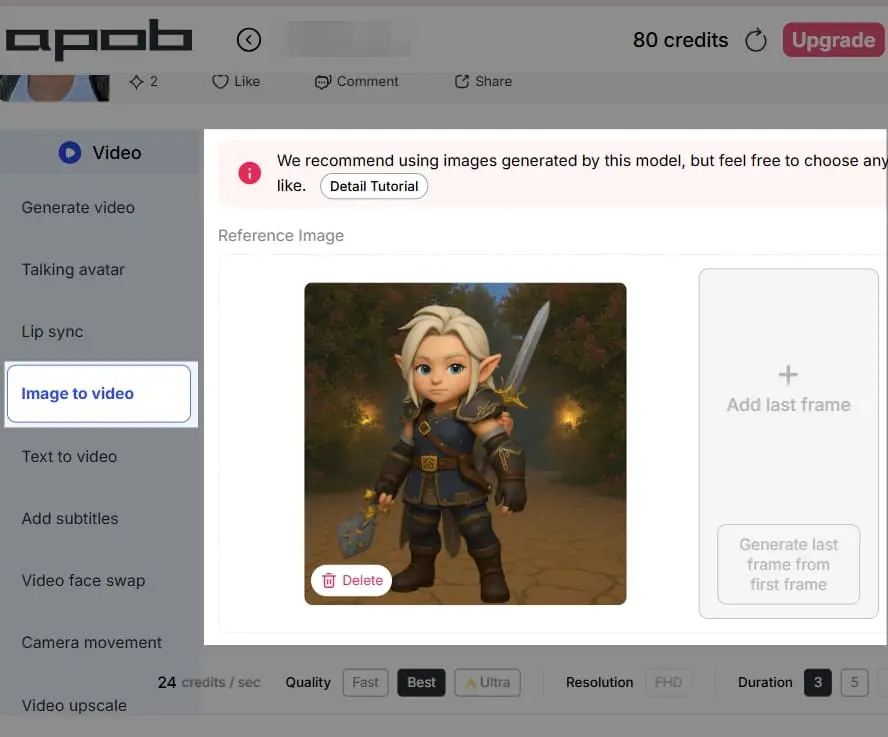
Step 4: Turn images into videos
Transform images into animated videos with the “Image to Video” feature for a lively, cinematic twist.
Relive That Nostalgic 2000s Vibe
The PS2 filter captures the iconic low-resolution, low-poly PS2 graphics that defined early 2000s gaming. For millennials and Gen Z, it brings back memories of long gaming sessions and character intros with jagged edges and CRT-screen glow. Users love recreating their favorite avatars as 2000s PFPs, making their photos feel like they were ripped straight from a classic game.
AI-Powered Retro Aesthetic
Thanks to the latest PS2 AI filter technology, you can now generate that unmistakable retro gaming vibe with just one click. The AI PS2 filter adds authentic PS2-style textures, lighting, and shadows, creating a 3D polygonal look in seconds. No editing skills required—just upload a selfie and let the PS2 filter AI handle the magic.
Go Viral in PS2 Online Communities
Content made with the PS2 filter is blowing up in PS2 online spaces, including TikTok, Reddit, and Instagram. Creators use it to stand out, add humor, or tap into nostalgia. Whether you’re looking to go viral, design a retro meme, or drop a throwback gaming-inspired avatar, this filter is your ultimate creative tool.
Social Media Content
PS2 filter is currently popular on platforms like Instagram and TikTok, where users can create authentic, retro-themed content. By converting selfies into “NPC” or “playable character” avatars, users can become part of a viral trend using a retro gaming aesthetic to pull attention and followers (Jing Daily, 2024).
Branding
Artists use the PS2 filter to create stylized visual content for a project, diverging from the clean, modern look. The filter adds a unique appearance with elements such as low-polygon geometry, brutal shadows, and selective color palettes, and is ideal to use in creating distinctive profile photos, game cover art, or advertising material for a firm that desires an old-school image (Colorcinch, 2024).
Video Game Development
The filter can serve game developers as a concept art and prototyping tool. By applying the PS2 look on pictures or video of real environments, game developers can immediately see what a new game would appear like, capture the retro feel, or even create a uniform visual style for a new game inspired by the early 2000s.
 Rosa Alvarez
The PS2 filter made my photos feel like an old game menu in the best way. I used it for a nostalgic carousel, and the low-poly mood was exactly what I wanted.
 Hiro Tanaka
I tried the PS2 look on a character portrait and it instantly felt like a retro cutscene. The result was playful, imperfect, and honestly pretty charming.
 Hana Morita
For a throwback single cover concept, APOB AI helped me test a gritty PS2-style image without building a 3D scene from scratch.
 Bailey Cruz
The filter is fun because it changes the whole mood, not just the colors. My normal selfie became something that looked like a character selection screen.
 Scout Miller
I used it for fast visual references during a game jam. It gave our team a shared retro direction before we started making actual assets.
 Remy Lane
Some AI filters feel too polished, but this one kept the crunchy, early-2000s feeling. It was great for casual edits and profile images.
 Jordan Vale
The PS2 style gave my event poster a weird nostalgic edge. I still adjusted the typography later, but the generated image set the tone.
 Casey Holt
I liked combining the PS2 filter with neon lighting and simple poses. APOB AI gave me a base image that already felt like a forgotten game intro.
 Arthur Kim
We used the filter for a retro-themed campaign teaser. It stood out in the feed because it looked intentionally old-school instead of just another clean render.
Fast and Easy
Generate with one click — no editing skills required.
Free to Use
APOB AI offers this filter completely free.
Highly Shareable
Great for viral trends, memes, and profile pics.
2000s Nostalgia
Bring back the PS2 graphics we all grew up with.
For Ultra HD Fans
If you're into modern hyper-realism, this is the filter for you.
Style Limitations
Some character styles may not translate well into PS2 character filter formats.
Limited Customization
While quick, deep editing options are minimal (e.g., full character design).
No Credit Card Required
Answers about applying the PS2 game filter, photo uploads, retro style, quality, and downloads.
What is a PS2 Filter?
A PS2 filter is a digital effect that transforms your photo into a style reminiscent of early 2000s PS2 graphics , featuring polygonal textures, low resolution, and CRT-like contrast.1
Is this a PS2 AI Filter or just a basic filter?
It’s a fully AI-powered tool — the PS2 AI filter uses machine learning to recreate lighting, shading, and geometry that mimic PlayStation 2 visuals.2
Can I use it to create a 2000s PFP?
Yes! In fact, it’s one of the most popular use cases. Many users create 2000s PFPs styled like old-school game intros or menu screens.
Is the PS2 filter really free to use?
Yes! APOB AI offers 80 free credits per day .3 You can generate up to 16 AI images every day without paying.
What style should I choose in APOB AI to get the PS2 look?
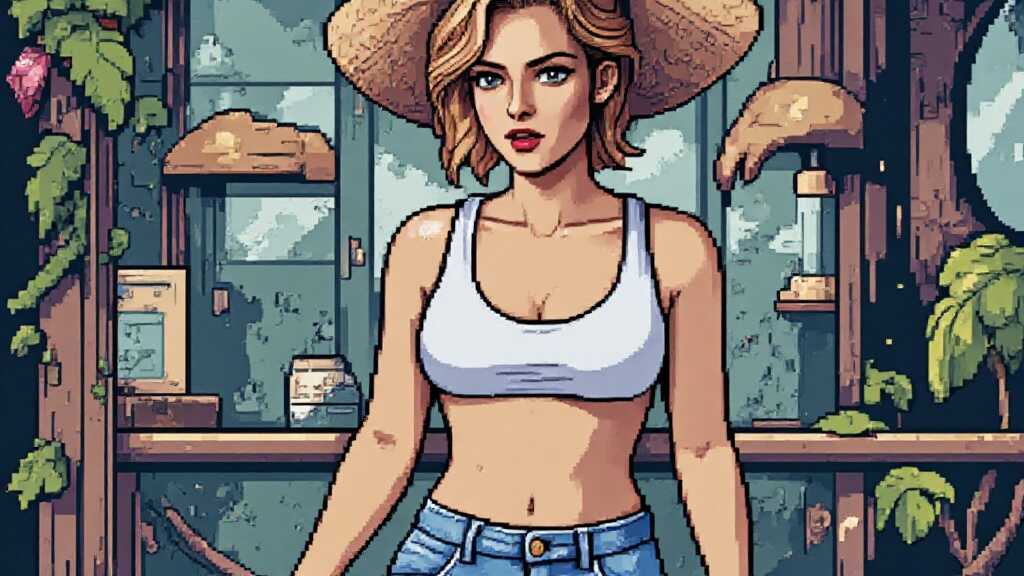
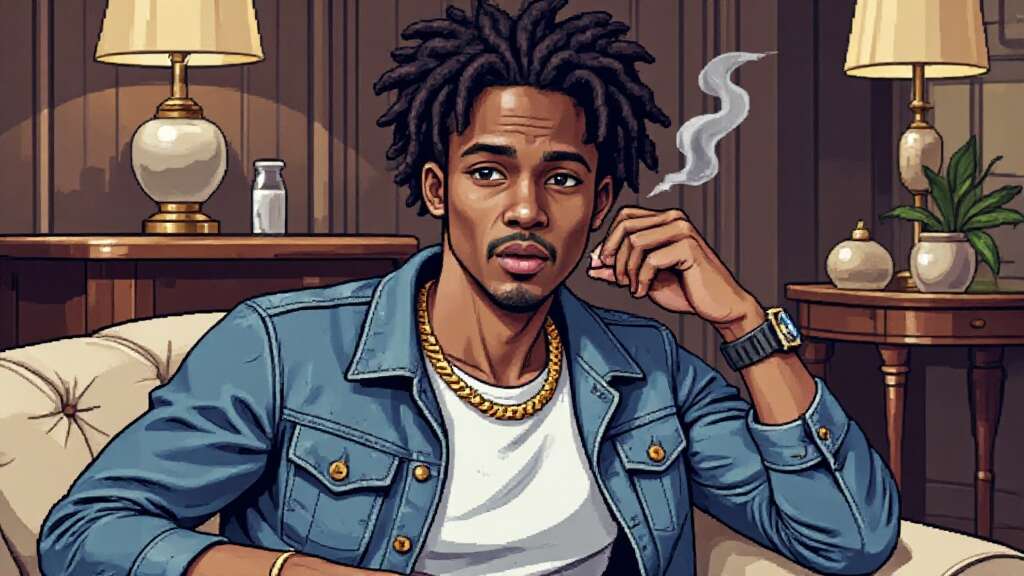
Use the “Pixel Art” style in the Image section. Then add prompts that mention “PS2 filter,” “low-poly,” or “retro game look.”
Can I use the PS2 filter on an avatar instead of my real photo?
Absolutely. You can create an AI Influencer avatar first, then apply the PS2 aesthetic. This is great for keeping a consistent, stylized character across multiple images.
Why is this filter so popular on TikTok and Instagram?
Because it taps into nostalgia and creativity. It makes your content look like a classic PlayStation game, which instantly stands out on feeds.
Can I try other nostalgic filters too?
Yes! APOB AI offers many stylized filters, including:
Y2K
Dreamcore
Cartoon / GTA Style
Vintage Anime
All can be used for free with your daily credits.


