With APOB AI, you can create realistic celebrity-style images, generate cinematic videos, and build talking avatar clips. Try For Free!
Start with a Safe Celebrity Concept
Before you write the prompt, decide what kind of celebrity AI content you are making. There are a few safe directions: an authorized celebrity campaign asset/a licensed celebrity-style video/a fictional movie-star persona/a public-domain historical figure for education/a celebrity-inspired look without copying a real person’s exact likeness
For example, maybe you are a brand marketer with permission to create a short video of a famous athlete introducing a product launch. In that case, you can use an authorized reference and create a campaign-style video.
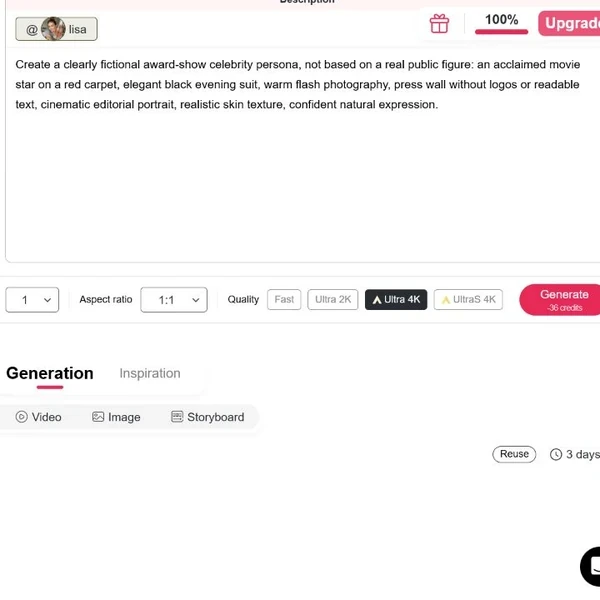
Or maybe you are a fan creator who wants a “pop-star red carpet” look without using a real celebrity’s face. In that case, you can create a fictional celebrity-style character instead:
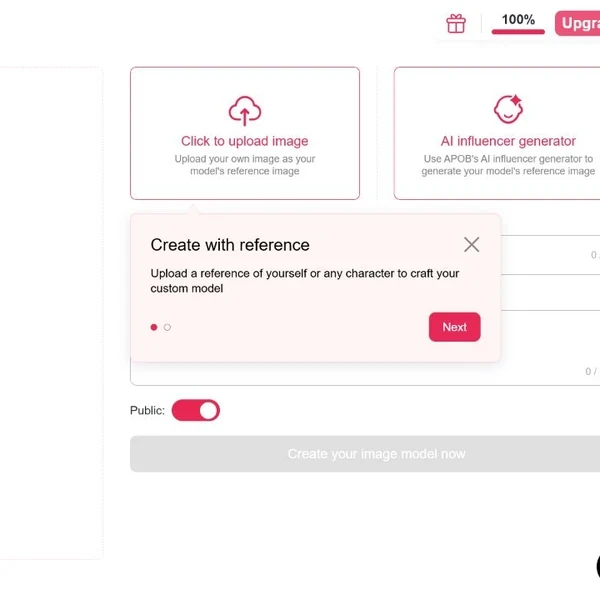
Create a Celebrity AI Model from an Authorized Photo
If you have permission to use a celebrity’s image, you can start by uploading an approved photo to APOB AI and turning it into a reusable AI model. APOB AI will guide you through the steps: upload the image, name the model, add a short description, choose the visibility setting, and create the model.
Once the model is ready, you can use it to generate new celebrity AI images or videos. Choose the celebrity model, write what you want to create, select the style, scene, aspect ratio, and quality, then generate.
For example:
standing in a clean studio, wearing a black suit, looking at the camera, soft commercial lighting, professional product launch video.
This makes it easier to keep the same celebrity look across posters, social videos, campaign clips, talking avatar videos, and image-to-video content.
If you do not have permission to use a real celebrity’s likeness, create a fictional celebrity-style character instead.
Turn the Image into a Celebrity AI Video
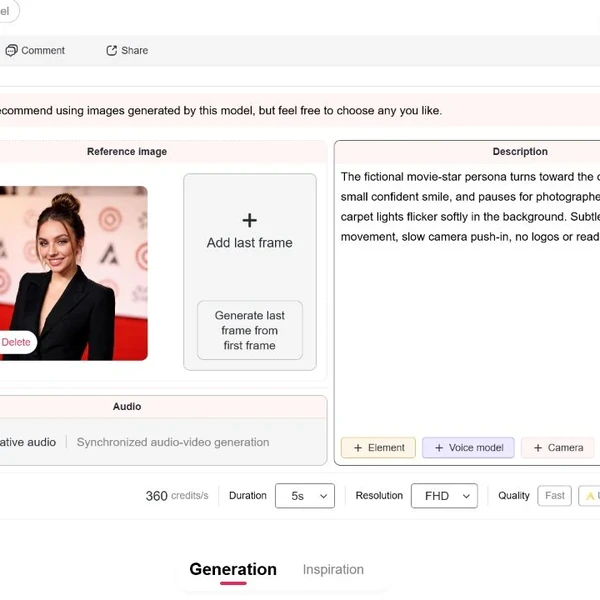
Once you have a strong image, you can turn it into video. This is useful when you already like the character’s face, outfit, background, or pose. Instead of generating a new video from scratch, image-to-video helps you keep the visual direction and add motion.
For example, imagine you created a fictional celebrity-style portrait of a singer on stage. The image looks good, but it feels static. You can then animate it into a short video:
“The singer slowly turns toward the audience, stage lights moving in the background, subtle hair movement, soft smile, cinematic concert atmosphere, slow camera push-in.”
This type of workflow is useful for:
red carpet clips
fashion campaign videos
fictional celebrity intros
movie-poster animations
historical education explainers
brand spokesperson clips
music-video-style teasers
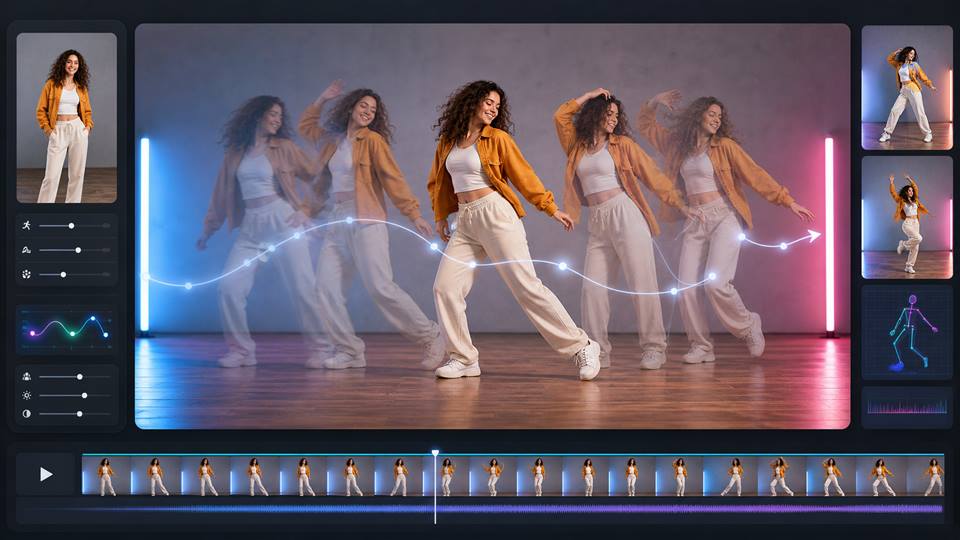
Our platform includes video tools such as image-to-video, text-to-video, talking video, edit video, extend video, and subtitles.

Make a Talking Celebrity-Style Video
For this, the safest approach is:
use an authorized celebrity voice if you have rights
use a licensed voice model
use a non-identical AI voice with a similar mood
avoid pretending that a real celebrity endorsed something they did not endorse
Wondering how to make an ai voice of a celebrity? Click on 'Talking Avatar' feature and then upload your licensed audio or use our built-in models to create a virtual voice if you do not have permission. To match the audio and video, use our lip sync ai feature. Finally, your static character just became a breathing, acting powerhouse.
Refine, Edit, Extend, and Add Subtitles
The first version is rarely the final version.
After generating your celebrity AI image or video, review it like a real editor:
Does the face stay consistent?
Does the scene match the prompt?
Is the lighting believable?
Does the outfit fit the role?
Is the motion natural?
Does the video look right for the platform?
Does the caption or subtitle make the message clearer?
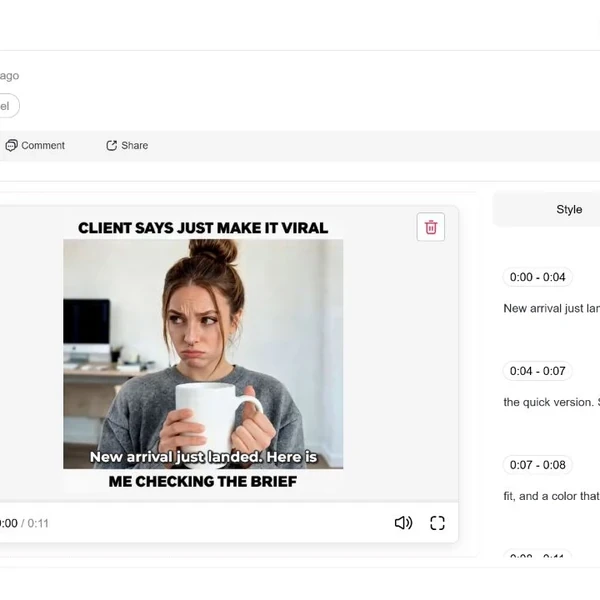
For social content, subtitles matter. Many users watch videos without sound, especially on mobile. If you are creating a talking celebrity-style video, subtitles can make the clip easier to understand and more usable across platforms.
APOB AI includes features such as edit video, extend video, and add subtitles in its workflow, which can help creators turn a raw generation into something closer to a publishable asset.
Interactive Fan Engagement and Character Experiences
Celebrity AI can also be used for interactive experiences, where a celebrity or public persona becomes part of a guided entertainment experience with proper licensing.
Meta announced AI characters “played by” celebrities including Tom Brady, Kendall Jenner, Snoop Dogg, and others across its family of apps. (Facebook) This is a useful reference point for how celebrity identity can be used in AI experiences when structured as a platform partnership.
Licensed Celebrity Campaign Videos
Brands can use Celebrity AI to create campaign videos when they have proper rights to a celebrity’s likeness, voice, or performance. This can reduce production friction for teasers, multilingual versions, product explainers, and social cutdowns.
The market around virtual influencers and digital personas is growing fast. Grand View Research estimated the global virtual influencer market at USD 6.06 billion in 2024 and projected it to reach USD 45.88 billion by 2030, with a CAGR of 40.8% from 2025 to 2030. (Grand View Research)
Celebrity-Style Social Ads and Brand Teasers
A brand may not need a real celebrity for every concept test. Sometimes it needs a fictional celebrity-style presenter: someone who feels polished, stylish, and camera-ready without representing a real person.
This is useful for:
fashion ads
beauty videos
app demos
product launch teasers
event promotions
luxury-style campaign previews
Levi Strauss & Co. publicly announced a partnership with Lalaland.ai to test AI-generated models to supplement human models and increase model diversity across product presentation. (Levi Strauss & Co) This shows how brands are already exploring AI-generated human-like talent for visual commerce and campaign content.
Voice Localization for Authorized Celebrity Content
If a celebrity campaign is approved for one market, AI voice and talking avatar tools may help create localized versions more efficiently, provided the contract allows it.
For example, a licensed celebrity spokesperson video could be adapted into multiple languages for different regions. However, voice rights and digital replica rights must be clearly handled.
SAG-AFTRA’s AI-related agreements and commentary emphasize consent, compensation, and control around digital replicas and performer likenesses, which is especially relevant for celebrity AI voice and video production. (The Authors Guild)
Fast Celebrity-Style Content
Create realistic celebrity-style images and cinematic videos in minutes instead of organizing photoshoots, studios, or production crews.
No Studio or Equipment Needed
Everything runs in the browser. You can go from a concept to a finished celebrity-style visual or video with nothing more than prompts and reference images.
Consistent Characters Across Formats
APOB AI keeps a persona consistent across portraits, cinematic clips, and talking avatar videos, so a campaign or channel can reuse the same recognizable character.
Talking Avatar Videos From One Image
Turn a single celebrity-style portrait into a talking avatar clip with voice, lip sync, and motion — useful for narration, promos, and social content.
A Safer Creative Alternative
Fictional celebrity-style personas let you capture a glamorous, high-production look without using a real person’s likeness, which avoids many of the rights issues listed below.
Likeness Rights Can Be Complicated
Real celebrities have rights around their image, name, voice, and commercial identity. Using a celebrity’s likeness without permission can create legal and reputational problems.
Voice Cloning Is Sensitive
AI celebrity voice generation is especially risky if it imitates a real person without authorization. A voice can be part of a person’s identity and may be protected by contract, publicity rights, or platform rules.
Misleading Endorsements Can Damage Trust
A fake celebrity endorsement can mislead viewers and harm both users and brands. It can also violate advertising rules. Celebrity AI should not be used to suggest that a real person supports a product unless that is true and properly authorized.
Platform Disclosure May Be Required
Platforms increasingly require synthetic media disclosure. If your Celebrity AI video looks realistic and could mislead viewers, you may need to label it clearly.
Uncanny Results Still Happen
Even strong AI tools can produce odd expressions, unstable faces, unnatural hands, or strange motion. Celebrity AI content still needs human review and editing.
No Credit Card Required

Answers about celebrity-style AI images, likeness rights, privacy, credits, and commercial use.
What is Celebrity AI?
Celebrity AI refers to AI-generated images, videos, voices, or talking avatars that use a celebrity concept, celebrity-style persona, licensed public figure, fictional star character, or historical figure as the creative subject.
Can I use APOB AI as a celebrity AI image generator?
Yes. APOB AI can be used to create celebrity-style images, fictional star portraits, campaign visuals, and character-based images from prompts. For real celebrity likeness, make sure you have permission or use a safer fictional celebrity-style character instead.
Can I use APOB AI as a celebrity AI video generator?
Yes. APOB AI includes video-related tools such as image-to-video, text-to-video, talking video, edit video, extend video, and subtitles. This makes it useful for turning celebrity-style images into short videos, campaign teasers, interviews, explainers, and social clips.
How to make celebrity AI video?
Start with a clear concept. Choose whether your subject is an authorized celebrity, fictional celebrity-style persona, or public-domain historical figure. Generate an image or model, add scene details, choose the right aspect ratio, then use image-to-video or text-to-video to create movement. Finally, refine the video, add subtitles, and check legal/disclosure requirements before publishing.
How to make an AI voice of a celebrity?
Only use an AI voice of a celebrity if you have permission or licensed rights. For safer content, create a non-identical voice direction such as “confident host,” “warm narrator,” or “cinematic trailer voice” instead of copying a real person’s exact voice.
Is it legal to create celebrity AI images?
It depends on the person, jurisdiction, use case, and whether the content is commercial. Fan art, parody, education, and editorial uses may be treated differently from ads or endorsements. For real celebrity likeness, especially in commercial content, get permission.
Can I make a fake celebrity endorsement video?
No. You should not create content that falsely suggests a real celebrity endorsed a product, service, investment, app, or brand. This can mislead viewers and create legal risk.
Can I create a fictional celebrity instead of using a real person?
Yes. This is often the safer and more flexible option. You can create a fictional celebrity-style character with the look and mood of entertainment culture without copying a real person’s face or voice.
What prompts work best for Celebrity AI?
The best prompts include subject, scene, outfit, expression, camera style, lighting, movement, and output format. For example: “A fictional celebrity singer walking on a red carpet, silver dress, paparazzi flashes, confident smile, vertical 9:16 cinematic event video.”
What is the best aspect ratio for celebrity AI video?
Use 9:16 for TikTok, Reels, and Shorts. Use 16:9 for YouTube, website hero videos, and cinematic trailers. Use 1:1 for social posts and thumbnails.
Can I use Celebrity AI for commercial ads?
You can use Celebrity AI for commercial ads if you have proper rights or if the character is fictional and does not copy a real person. If the content uses a real celebrity’s name, image, voice, or likeness, consult legal counsel and secure permission.
Can I create celebrity AI content for parody?
Parody and satire may be allowed in some contexts, but laws vary. The content should be clearly labeled and should not mislead viewers into thinking the celebrity actually said or endorsed something.
How do I make celebrity AI videos look more realistic?
Use specific scene details, natural lighting, subtle motion, clear camera direction, consistent character references, and platform-specific aspect ratios. Avoid over-perfect skin, exaggerated expressions, or vague prompts like “celebrity video.” Specific prompts produce better results.
Does APOB AI support talking celebrity-style videos?
APOB AI’s character generator page describes talking avatar, lip sync, voice options, multilingual support, and subtitles. These features can be used for talking celebrity-style videos when the content is authorized, fictional, or otherwise legally safe. (Apob)
Why does the face in my AI video swap look a bit blurry or flickering around the edges?
A: This usually happens when the lighting on your AI face completely clashes with the lighting in the original video, or the source video is just too low-res. To fix this, choose source videos with even, natural lighting on the face. More importantly, always toggle the Ultra S 4K rendering option in APOB AI—this gives our edge-blending algorithm the high-density pixels it needs to create a flawless, invisible seam in the video.
I want to make promotional videos. How do I stop my AI celebrity from sounding like a GPS robot?
A: Audio realism is all about how you "direct" the script. Don't just paste a block of text. Use punctuation strategically—add commas, periods, and ellipses to force the AI to take natural breaths and pauses. Pair this with one of our high-tier, emotionally expressive voice models, and the video's lip-sync engine will match that natural cadence perfectly.
If I use AI to generate a beautiful, completely made-up celebrity video from scratch, can I get sued?
A: As long as the AI generated a random face that doesn't intentionally mimic a specific, real-world person, you own the rights to use it. You are not violating anyone's Right of Publicity. In fact, creating original, proprietary AI influencers is exactly how the most successful faceless creators are monetizing their videos safely!


