
AI Video Character Replacement: How APOB Handles Scail Remotion-Style Workflows
AI character replacement is useful when you have a video with the right movement but the wrong person, avatar, or brand character. A creator might want to replace a demo actor with a virtual influencer. A marketer might need the same shot with a different spokesperson. A small team might want a proof of concept before booking a shoot. That is the practical search intent behind phrases such as AI video face swap, AI video character replacement, and replace a person in video with AI.
This guide focuses on a practical question: when does APOB make character replacement easier than a Scail Remotion-style workflow?
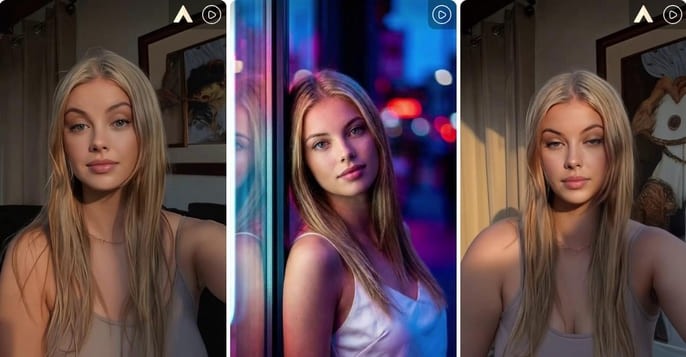
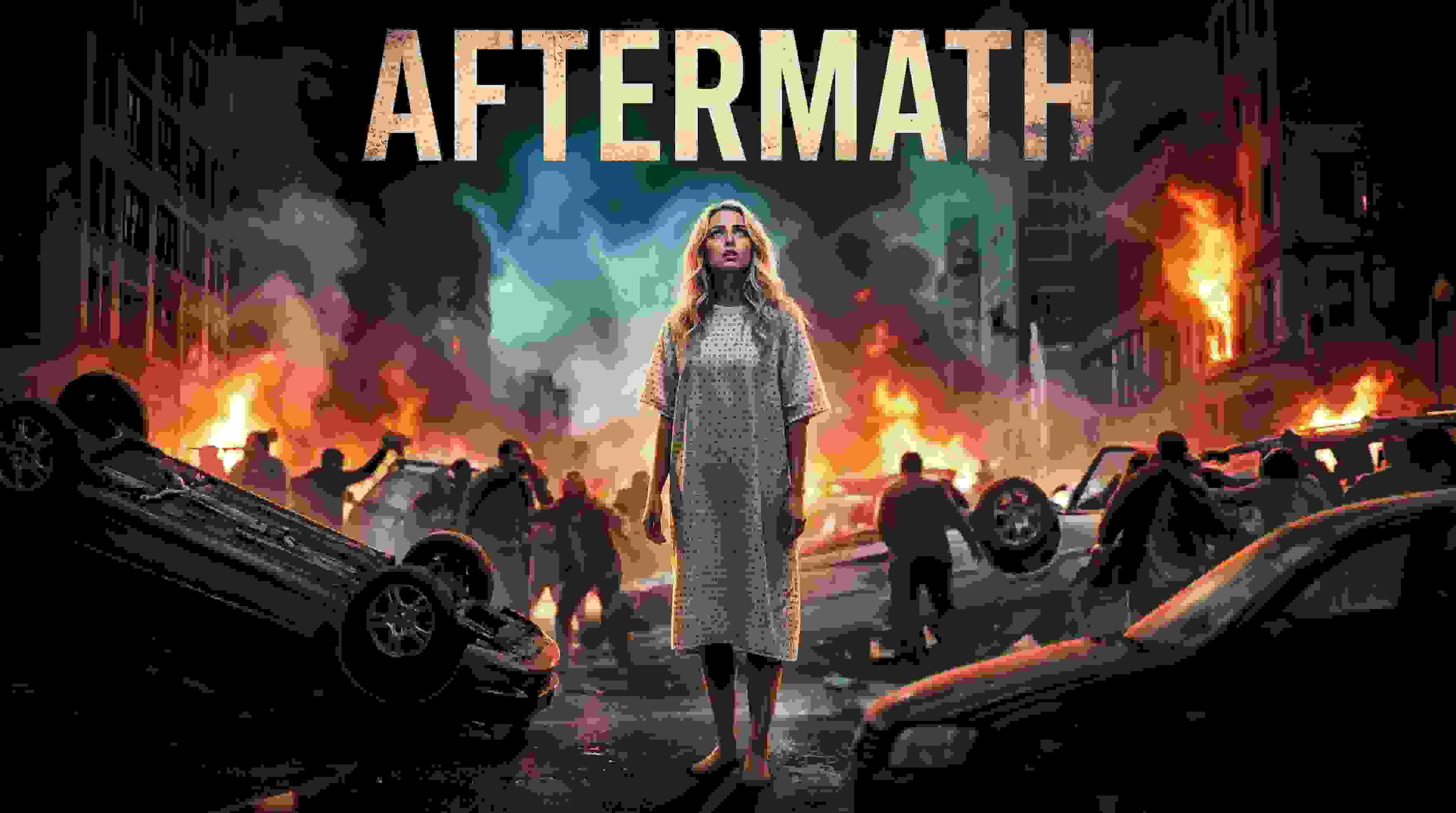
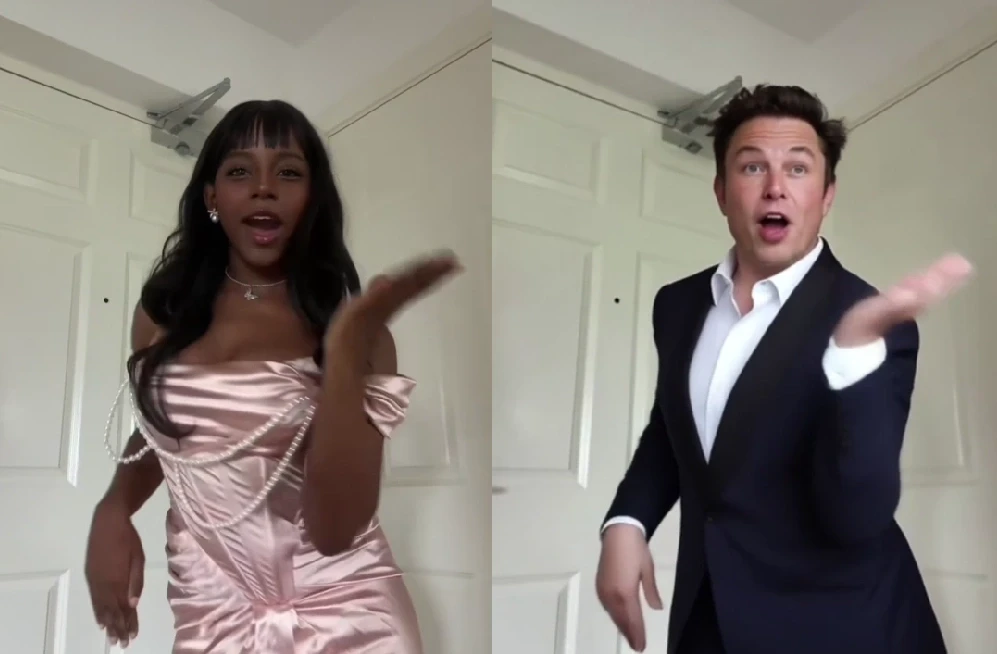
Visual examples
The examples below show the visual direction for this workflow and keep the original media assets in place.
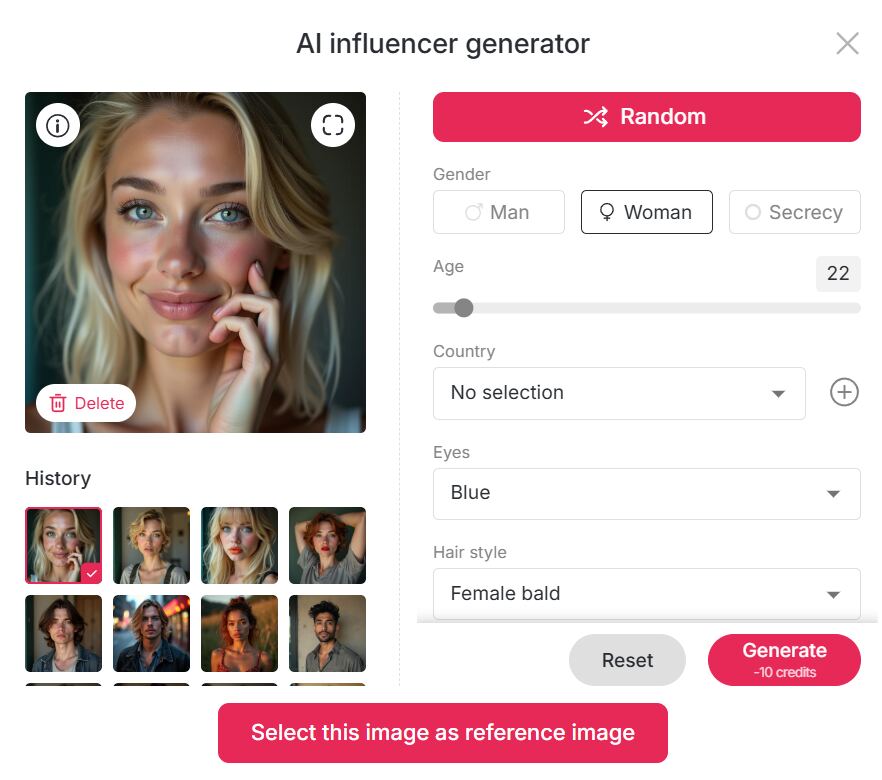
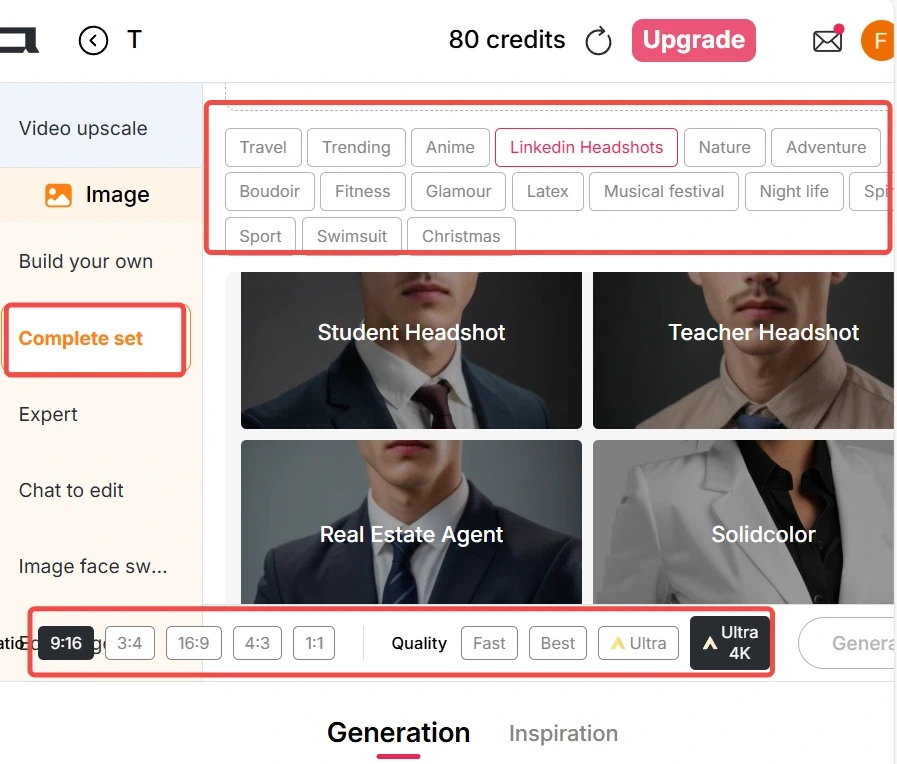
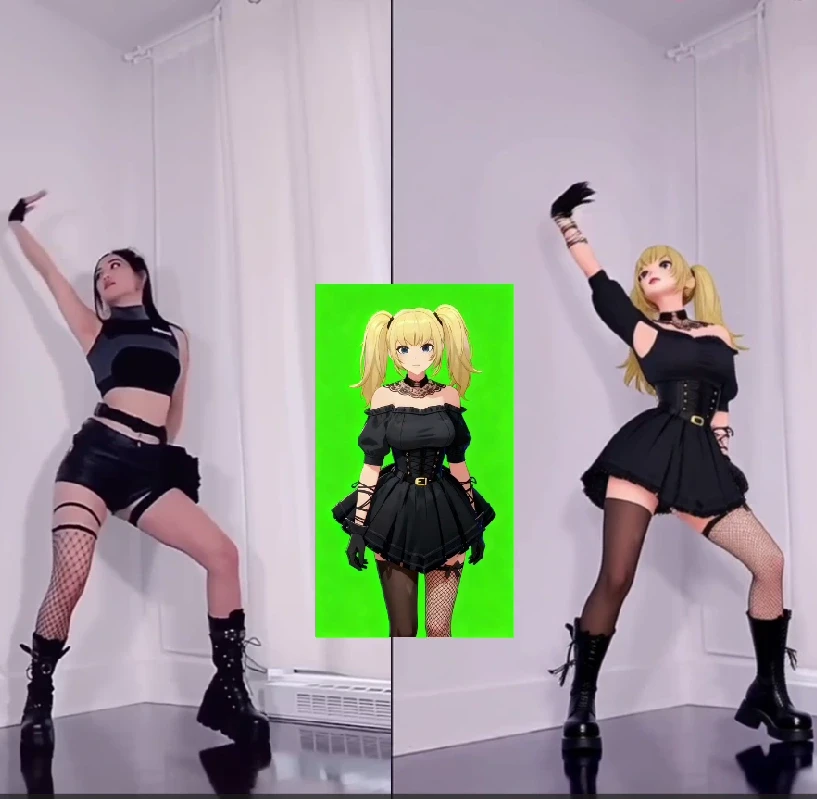
What users actually want from AI video character replacement
Most creators do not come here for a lecture on AI. They want to know whether the tool can keep the original motion, preserve the new character's identity, avoid strange face drift, and export a clip that looks usable on TikTok, Instagram, YouTube Shorts, or a product page. That means the article should answer practical questions early.
Can I replace only the person while keeping the scene and camera movement?
What kind of reference photo gives the cleanest result?
Does the output work for ads, AI influencer videos, or story clips?
What should I avoid if I want the face to stay consistent?
APOB workflow: from reference character to replacement video
1. Start with a clean reference
Use a front-facing or slightly angled image with good lighting. Avoid heavy shadows, sunglasses, extreme filters, or cropped faces. Character replacement depends on the model understanding the face, hairline, expression, and overall identity.
2. Choose the video carefully
A short clip with clear movement is easier to replace than a long, blurry video. Start with 3 to 8 seconds. If the original actor turns quickly, covers the face, or moves through harsh lighting, test a shorter section first.
3. Generate, then refine one thing at a time
If the first result is close, do not rewrite the whole prompt. Adjust one variable: lighting, expression, style, or camera feel. This keeps the workflow controlled and makes it easier to understand what improved the result.
Prompt examples for AI video face swap and character replacement
Use these as starting points. Replace the bracketed details with your scene, character, or campaign style.
Replace the main person in this video with a realistic young male virtual influencer, keep the same body movement, natural skin texture, soft studio lighting.
Turn the actor into a fashion brand spokesperson, clean editorial look, confident expression, keep the original walking motion and camera angle.
Replace the character with an anime-style creator avatar, keep the background and hand movement, bright social media color grading.
Create a luxury beauty ad version, replace the presenter with a polished female model, soft facial expression, natural blinking, premium lighting.
Replace the person with a game-style character, maintain the original pose and rhythm, dramatic shadows, cinematic street background.
Use a professional business presenter identity, keep mouth movement stable, clean office lighting, realistic face proportions.
Replace the actor with a virtual fitness coach, energetic expression, sharp detail, natural motion, no exaggerated facial distortion.
Create a UGC-style product review video with the reference character, casual expression, handheld camera feel, warm indoor lighting.
Replace the original character with a cyberpunk avatar, keep body movement, neon rim light, realistic face consistency.
Turn this clip into a creator ad featuring the reference model, preserve scene timing, natural smile, clean product-focused framing.
Replace the person with a mature professional spokesperson, calm expression, high trust, neutral background, realistic skin texture.
Create a short AI influencer reel, same dance movement, new character identity, bright fashion styling, smooth motion.
When APOB is the better fit
APOB is most useful when you want a repeatable character workflow: create or upload a model, test visual styles, replace a person in a short clip, and keep producing variations for social content or ads. A simpler face-swap tool may be enough for one quick edit, but APOB is stronger when the same character needs to appear again.
Common mistakes to avoid
Do not start with a blurry reference image, a long low-resolution clip, or a prompt that asks for too many changes at once. Keep the first test short, confirm the face is stable, then refine lighting, style, and export quality.
Quality checklist before exporting an AI video character replacement
Before you export an AI video character replacement, watch the clip at normal speed and half speed. The face should stay attached through turns, the eyes should not flicker, and the lighting on the new character should match the original scene. If the clip fails in the first two seconds, regenerate a shorter version before spending more credits.
Check | What good looks like |
|---|---|
Face stability | The new character keeps the same identity across the clip. |
Lighting match | Skin, hair, and shadows fit the original environment. |
Motion match | The AI video face swap follows the original timing without sliding. |
Commercial safety | The character is owned, licensed, or created by you. |
Best use cases for APOB character replacement
APOB works especially well for short creator clips where the same AI character appears repeatedly. Use it for UGC-style product demos, virtual influencer reels, localized spokesperson videos, concept testing, and short ad variations. For these cases, AI character replacement workflow is more than a novelty; it saves reshoots and keeps visual identity consistent.
FAQ
Is AI character replacement workflow the same as face swap?
They overlap, but character replacement is broader. A face swap usually changes the face. Character replacement may also change style, identity, outfit, or the whole visual feel while keeping the motion of the original clip.
What kind of reference image works best?
Use a clear, well-lit image where the face is visible. A neutral expression is often better than an extreme smile because the model has room to adapt to the video.
How long should my first test video be?
Start with a short clip under 10 seconds. Once the look is stable, test longer clips or upscale the output.
Can I use celebrity faces or copyrighted characters?
Avoid using real people, celebrities, or protected characters without permission. For commercial work, use your own model, a licensed avatar, or a character you have the right to use.
Why does the face sometimes drift?
Face drift usually comes from poor reference images, fast head turns, low video resolution, occlusion, or lighting that changes too much.
How do I get started quickly?
Start with the free APOB workflow, upload one clean reference image, and test a short clip before trying longer videos.
References
APOB AI (2026) AI Video Character Replacement. Available at: https://apob.ai/ai-character-swap-video-generator/ (Accessed: 8 May 2026).
APOB AI (2026) Video to Video. Available at: https://apob.ai/video-filter/ (Accessed: 8 May 2026).
Vidnoz (2026) Video Face Swap. Available at: https://www.vidnoz.com/video-face-swap.html (Accessed: 8 May 2026).
Akool (2026) AI Face Swap. Available at: https://www.akool.com/ai-face-swap (Accessed: 8 May 2026).
HeyGen (2026) Face Swap. Available at: https://www.heygen.com/face-swap (Accessed: 8 May 2026).
Media.io (2026) Video Face Swap. Available at: https://www.media.io/video-face-swap.html (Accessed: 8 May 2026).
Remaker AI (2026) Face Swap Video. Available at: https://remaker.ai/face-swap-video (Accessed: 8 May 2026).
NIST (2026) Face Recognition Vendor Test. Available at: https://www.nist.gov/programs-projects/face-recognition-vendor-test-frvt (Accessed: 8 May 2026).
Federal Trade Commission (2023) Keep your AI claims in check. Available at: https://www.ftc.gov/business-guidance/blog/2023/02/keep-your-ai-claims-check (Accessed: 8 May 2026).
Coalition for Content Provenance and Authenticity (2026) C2PA specifications. Available at: https://c2pa.org/specifications/ (Accessed: 8 May 2026).

Be the first to like this.






No credit card needed


